

Redirecting Traffic
Redirecting traffic occurs when the seller or creator includes links, phone numbers, social media handles, QR codes, references, or other 'calls to action' that encourage users to leave TikTok Shop (or direct them to other platforms).
Note: "Content" may be in various forms, including e-commerce shop windows, videos, and livestreams. The content included in cover pages, titles, hyperlinks, anchor links, descriptions and other features are also subject to our guidelines.
Thus, to provide a safe online shopping experience for our users, sellers and creators must avoid redirecting users to external websites or platforms when using TikTok Shop.

For more details, please refer to our TikTok Shop Content Policy.
Note: "Content" may be in various forms, including e-commerce shop windows, videos, and livestreams. The content included in cover pages, titles, hyperlinks, anchor links, descriptions and other features are also subject to our guidelines.
Why Do We Control Traffic?
TikTok Shop cannot guarantee the safety or security of transactions and other activities that take place outside of our platform. Links to other websites that are not regulated by our platform may pose online safety risks to our users, such as scams, phishing or the unauthorised collection of customer information.Thus, to provide a safe online shopping experience for our users, sellers and creators must avoid redirecting users to external websites or platforms when using TikTok Shop.
What is Redirecting Traffic?
Here are some practices we consider redirecting traffic:- Including external links, usernames, websites or contact information in your product descriptions or content.
- Providing external website information in your comments section.
- Asking your audience to click on links beyond the scope of your video.
- Sharing your social media usernames, links, IDs and phone numbers in your bio.
- Explicitly/implicitly requesting audience interaction unless it is about TikTok Shop.
- Asking audience members to follow or interact with phone numbers and other personal information in your bio, video description or video.
- Explicitly/implicitly linking to external promotions or deals.
What does Redirecting Traffic look like?
- Example A - Prompting users to click a link in your profile’s bio that links to another site.
- "Buy more products here [link to external website]"
- "Click on the link to buy"
- "Selling every day [contact phone number]"
- "Add me on XYZ Messenger to order"
- Example B - Announcing that the product being promoted in the video is available on another website or has a significant discount only available on another website, and mention the site address.
- "Click on the link in my bio to shop for more products"
- "Scan this QR code to buy our product or product"
- "Follow us on [website] to check out more products"
- "For free shipping or a discount, click the link"
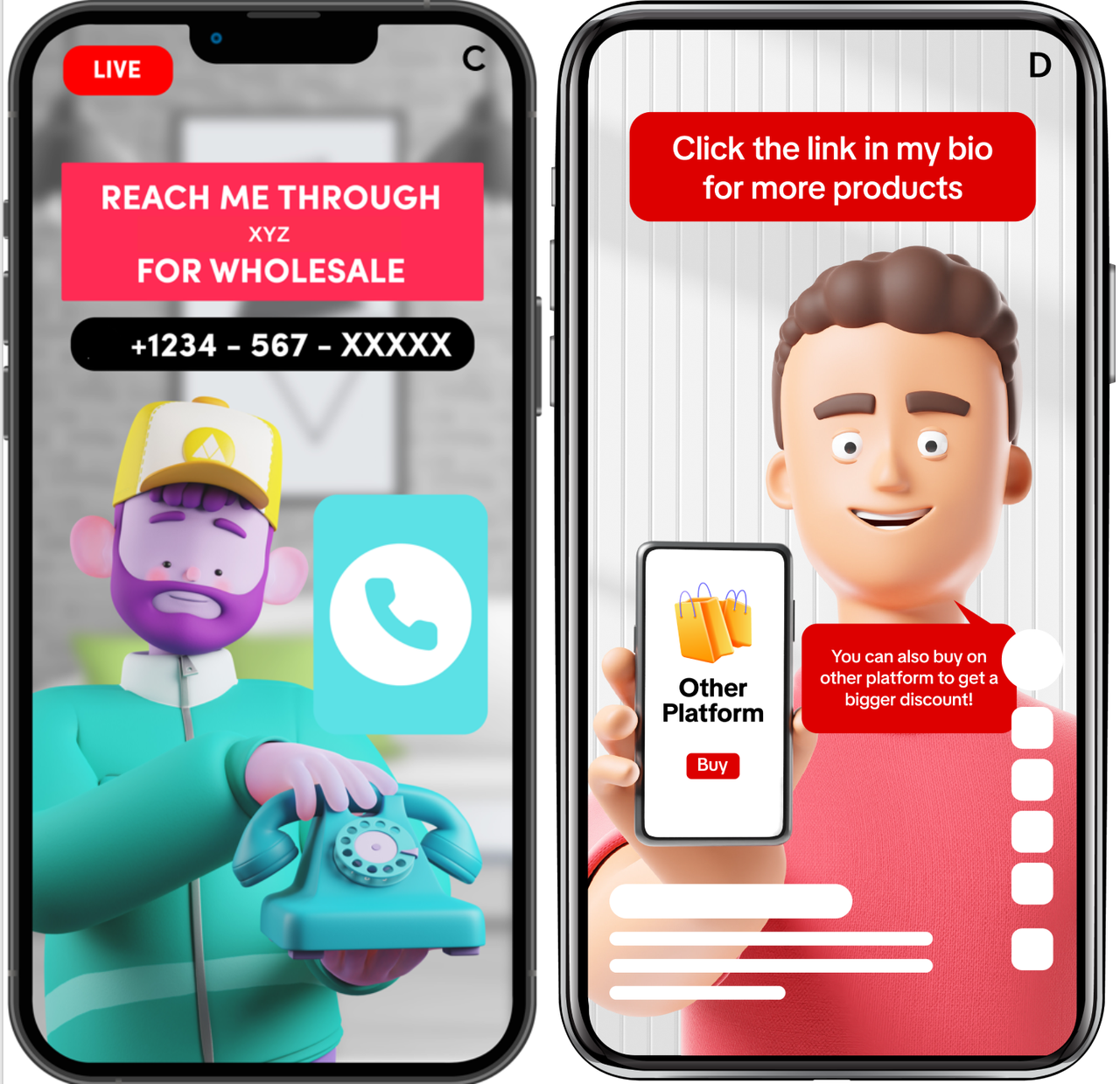
- Example C - Mentioning that customers interested in more details, such as wholesale products, can reach out to you through other platforms.
- "Shop at the link above or www.[name].com"
- "Go to our page to purchase"
- "Reach me through [other platform] for more information"
- Example D - Demonstrating how to make a purchase from your other websites or platforms. This includes gesturing/pointing at a screen depicting another platform's interface.
- "Click the link to order on [platform name]"
- Visit pointing at another platform’s interface] to buy.
- You can also buy on [pointing at another platform’s interface] to get a bigger discount.
What happens if I breach these guidelines?
Violating these guidelines will result in enforcement actions taken against your content or account. Repeated offenses will result in more significant penalties. Please see our Creator Performance Evaluation Policy and Creator Terms of Use for more information. If you think an enforcement action has been taken against you in error, appeal via the TikTok App. Please read our Creator Appeal Guidelines article for more information.For more details, please refer to our TikTok Shop Content Policy.
FAQs
Why can't I add my own website to my content?- We cannot guarantee the validity or security of other platforms or websites, and our priority is to maintain a safe and secure shopping environment for all our users within our platform.