

Affiliate AI Agent
What's Affiliate AI assistant
Overview
- What it is: the Affiliate AI Agent is a Copilot-style assistant for merchants, built to move Affiliate work from manual page navigation and actions toward guided decision making/support through text-inputs/conversations
- What it covers in MVP: Find creators, Send invitations, Sample approval, and Affiliate FAQ.
- What the AI agent can do: the agent can recommend, prepare, validate, and execute configured actions, but invitation sending and sample approval still require merchant confirmation before final execution
What the Affiliate AI Agent Is
The Affiliate AI Agent is an Affiliate-domain assistant integrated with Affiliate Center. The intended product path is intelligent diagnosis → decision assistance → automatic execution, with MVP limited to the Affiliate skills that have already been orchestrated.
In MVP, the agent works in Copilot mode only. It supports text input, keeps context inside the current session, and calls one Affiliate skill at a time. It does not support open-ended skill orchestration, file upload, AI Native mode, or cross-session memory.
What changes from today?
The agent does not remove the current Affiliate workflows. It changes the entry and coordination layer: merchants can ask for an outcome, and the agent translates that request into page linkage, data retrieval, recommendation, validation, and confirmed execution.
Workflow area | Current manual pattern | AI-assisted pattern |
Find creators | Merchant navigates filters and creator lists manually. | Merchant states intent and criteria for the search; agent recalls and explains recommended creators. |
Send invitations | Merchant manually chooses creators, product, copy, commission, and valid period. | Agent prepares invites based on the seller request, recommends product commissions and creators Merchant confirms; conflict, quota, and split checks block unsafe execution. |
Sample approval | Seller manually reviews applications or configures rule-based auto-approval. | The agent recommends approve/reject/manual outcomes with reasons Seller confirmation remains mandatory |
FAQ | Merchant searches Academy or asks support. | Agent answers and links source articles. |
Agent skills
The MVP version covers four Affiliate-domain skills
Skill | Merchant intent | Main output | Human confirmation | |
Find creators | “Find creators for this product/category/reference creator.” | Recommended creator list with reasons and page linkage. | No execution confirmation, but merchant chooses next action. | 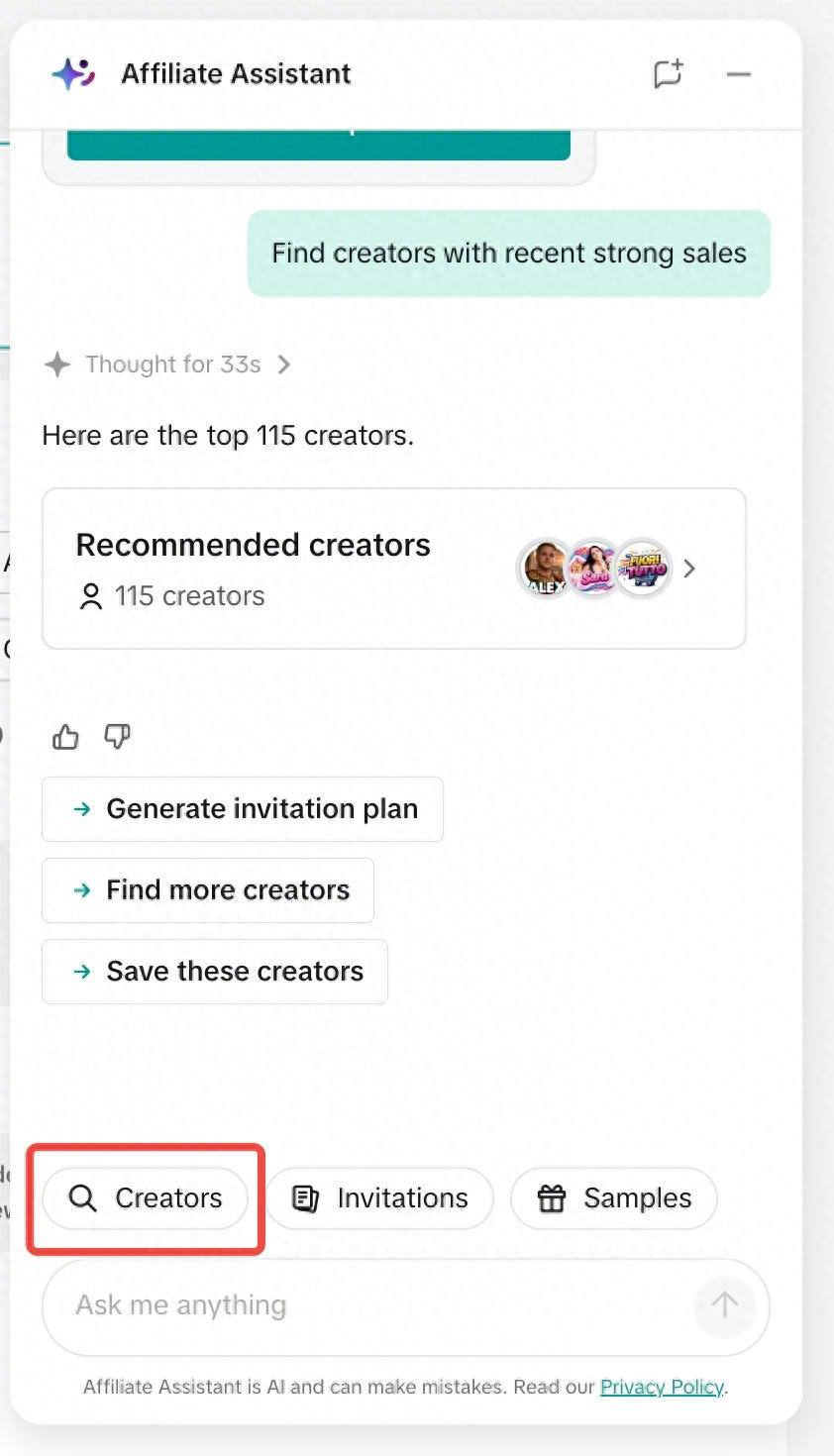 |
Send invitations | “Send invitations to these creators.” | Configured invitation preview, checks, and send invitation | Required before sending. | 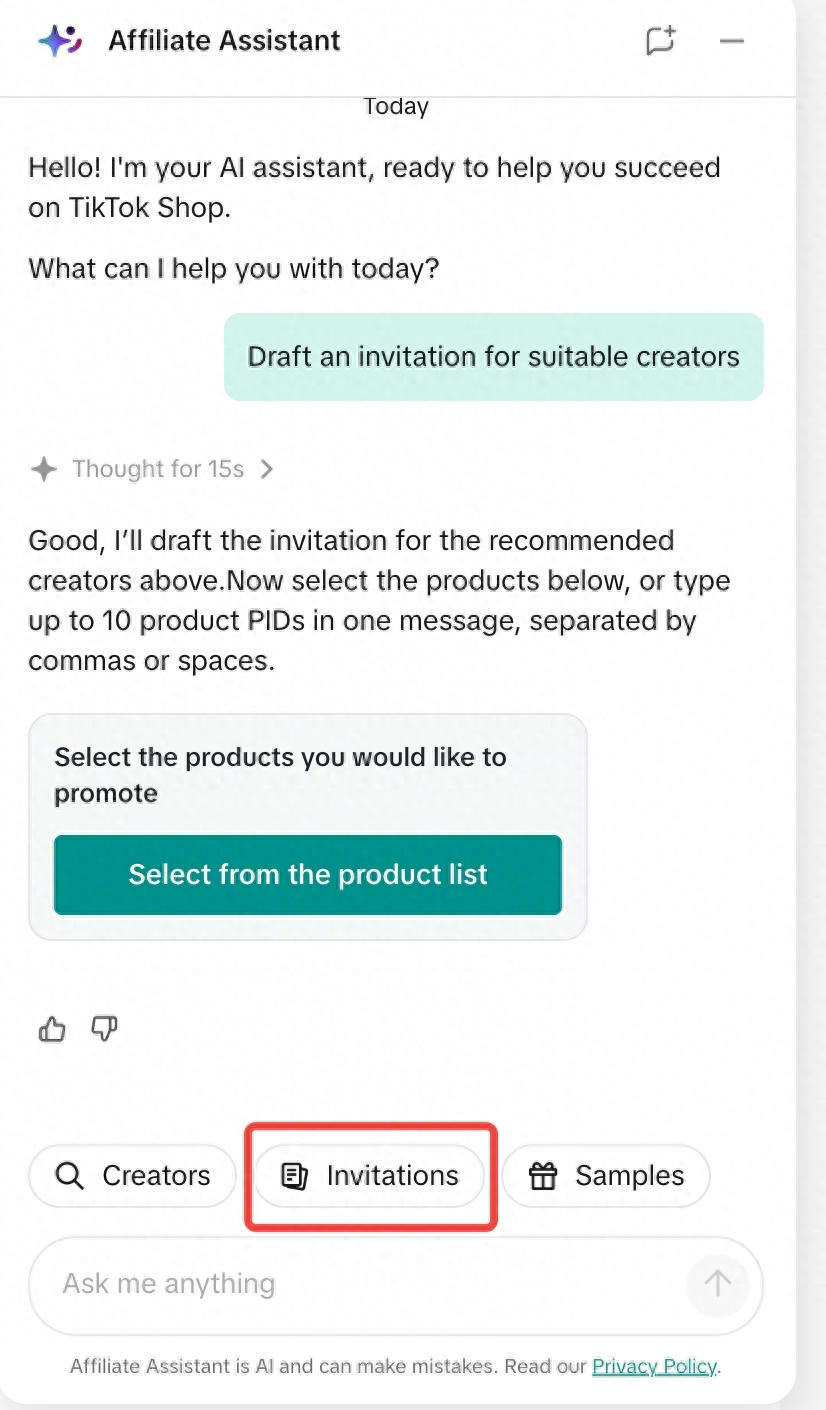 |
Sample approval | “Review or approve sample requests.” | Approve / reject / manual-confirm recommendations with reasons | Required before approving | 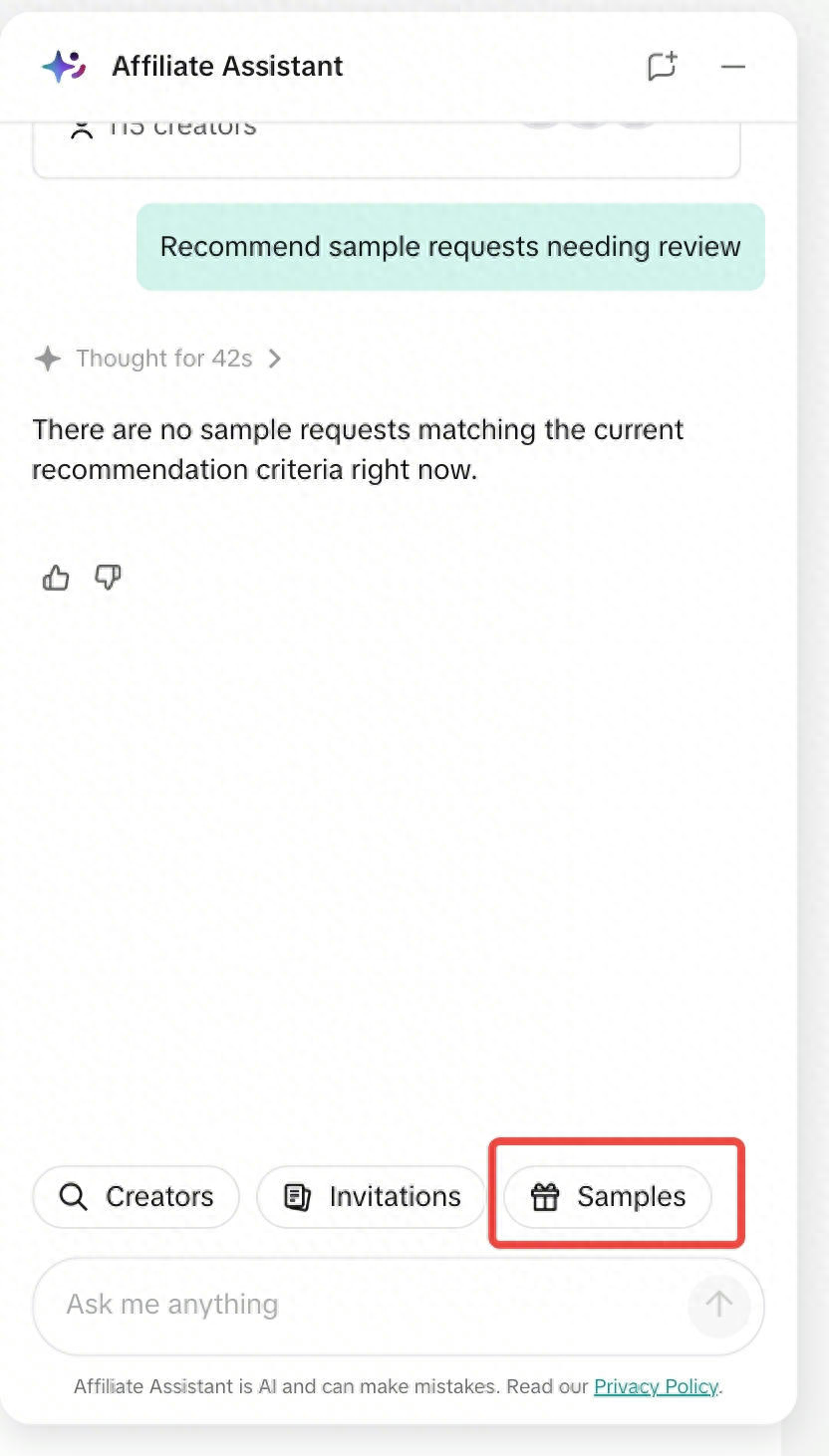 |
Affiliate FAQ | “What is the rule or how does this Affiliate process work?” | Knowledge-base-grounded answer with source links | Not applicable. | 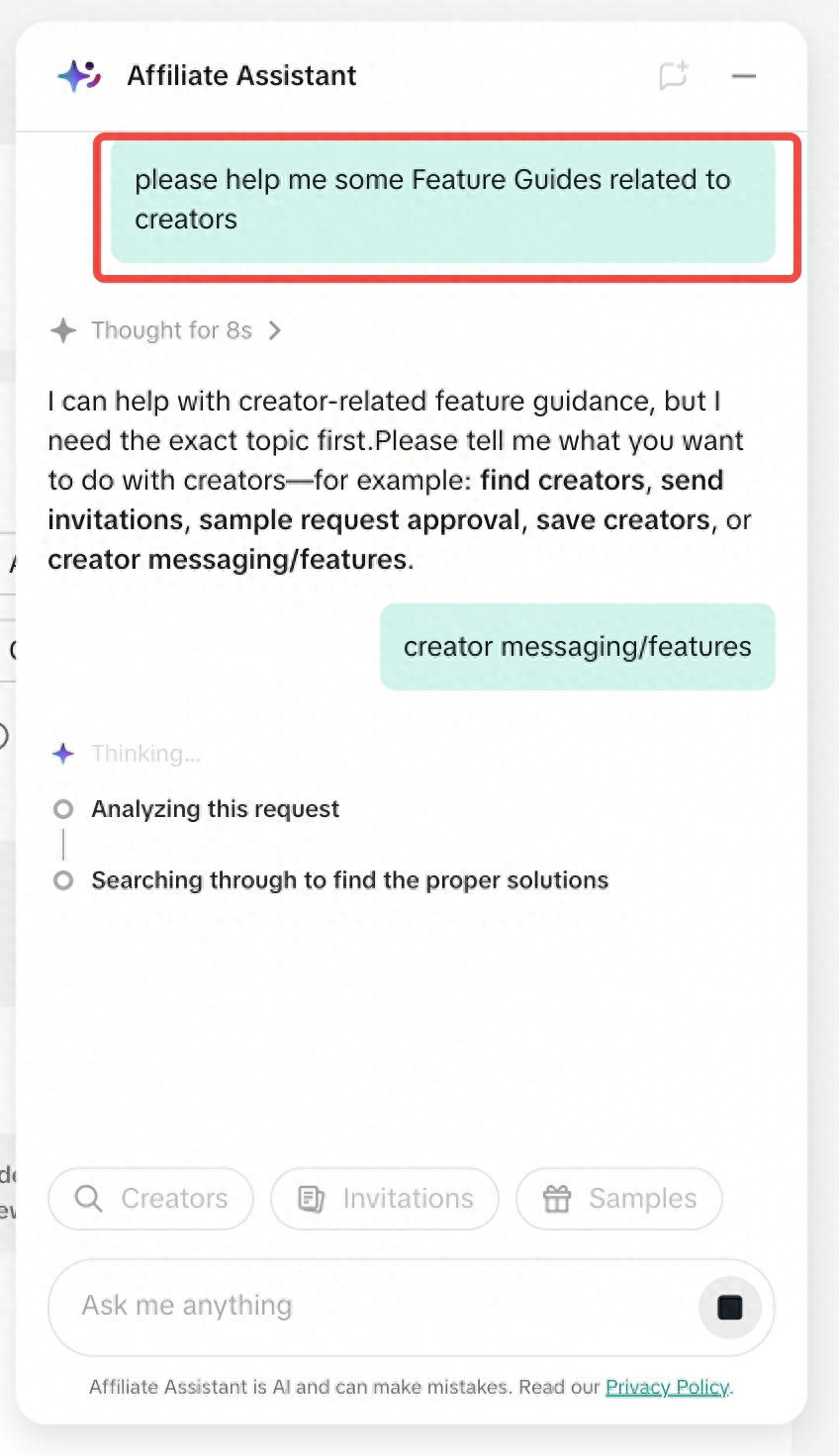 |
Entry Points
The agent can be reached through persistent and functional entries. The persistent entry is a bottom-right floating bubble in all the Affiliate Center pages. Functional entries are embedded in specific pages such as Find Creators, and they can launch the agent with skill-specific preset questions.
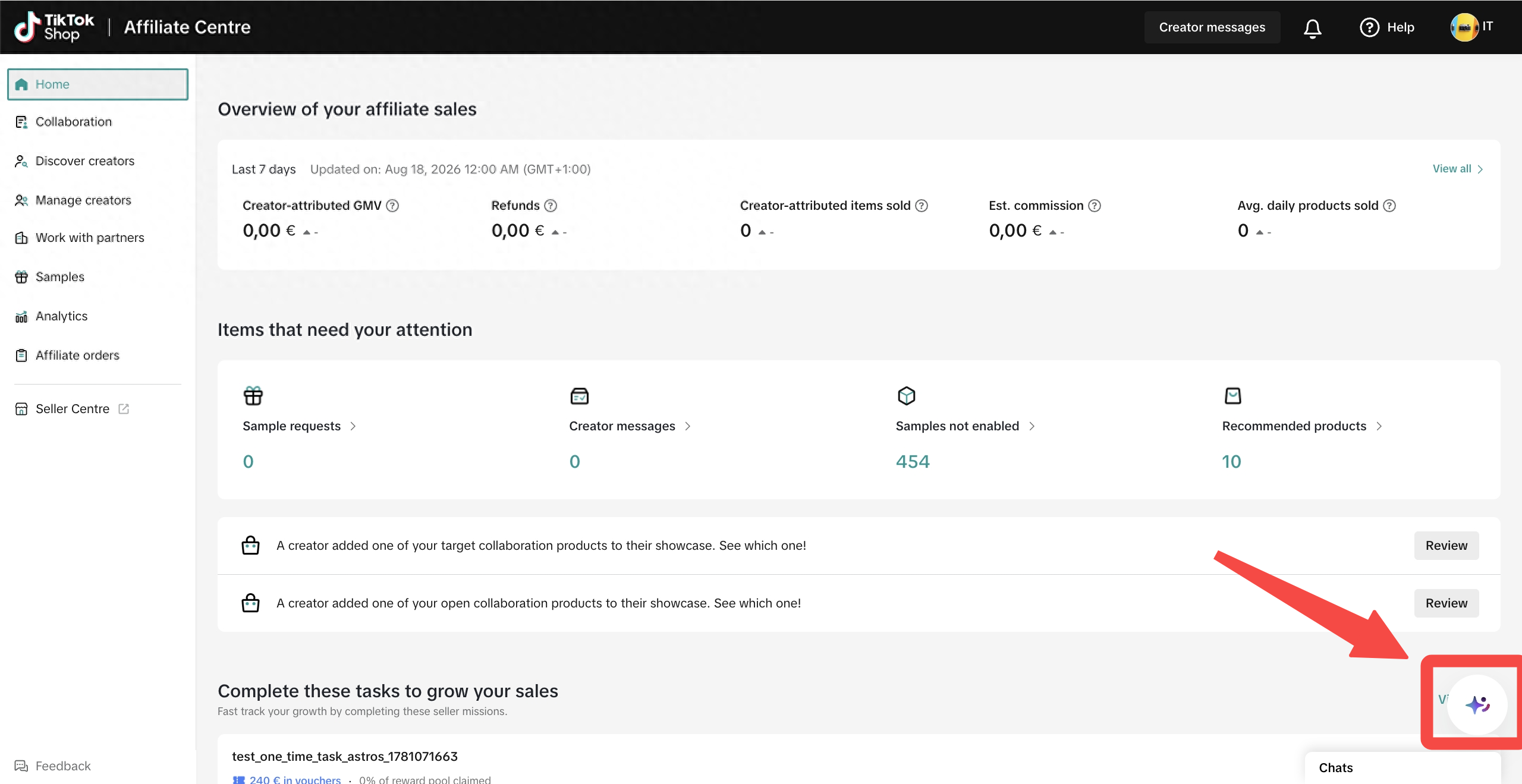
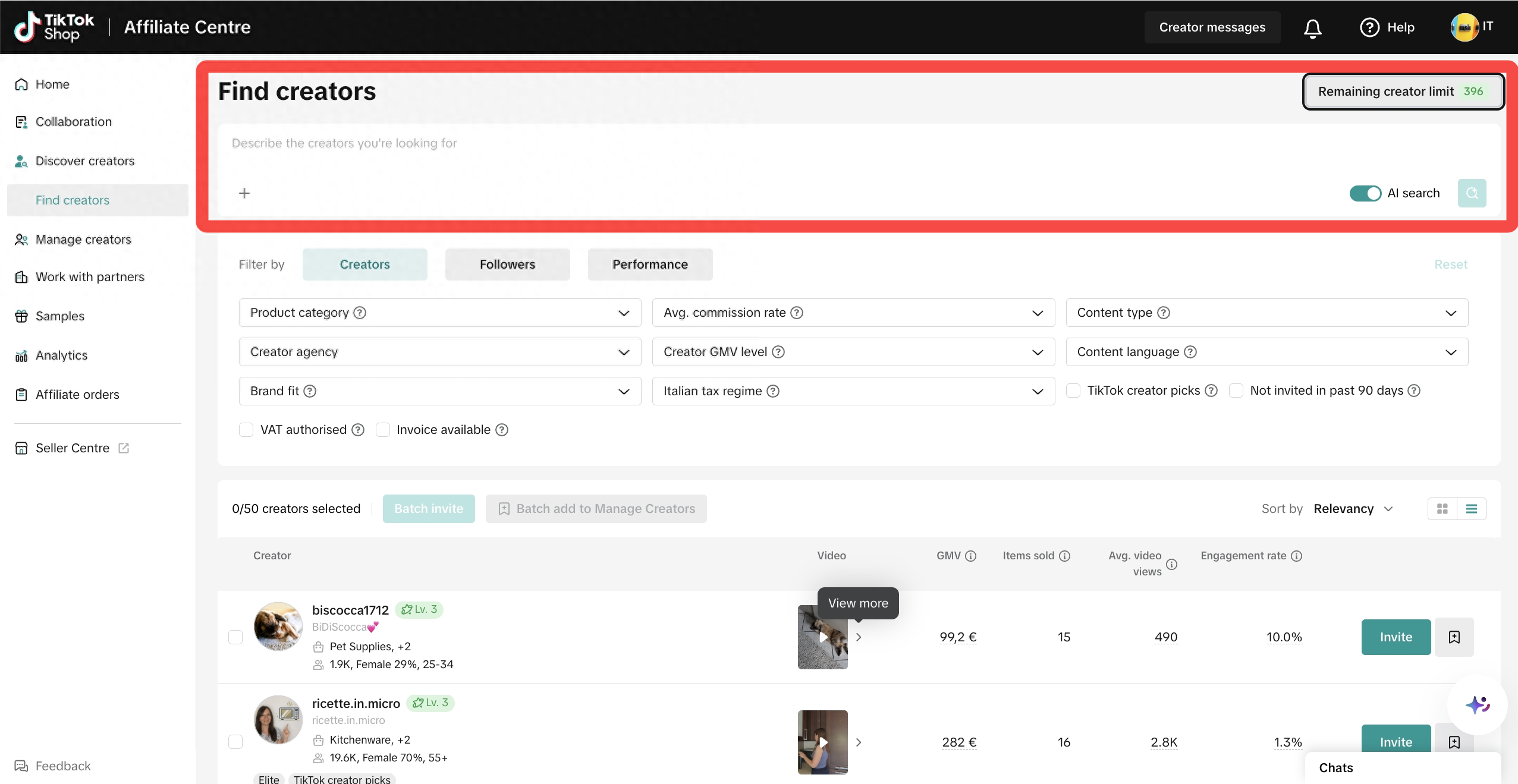
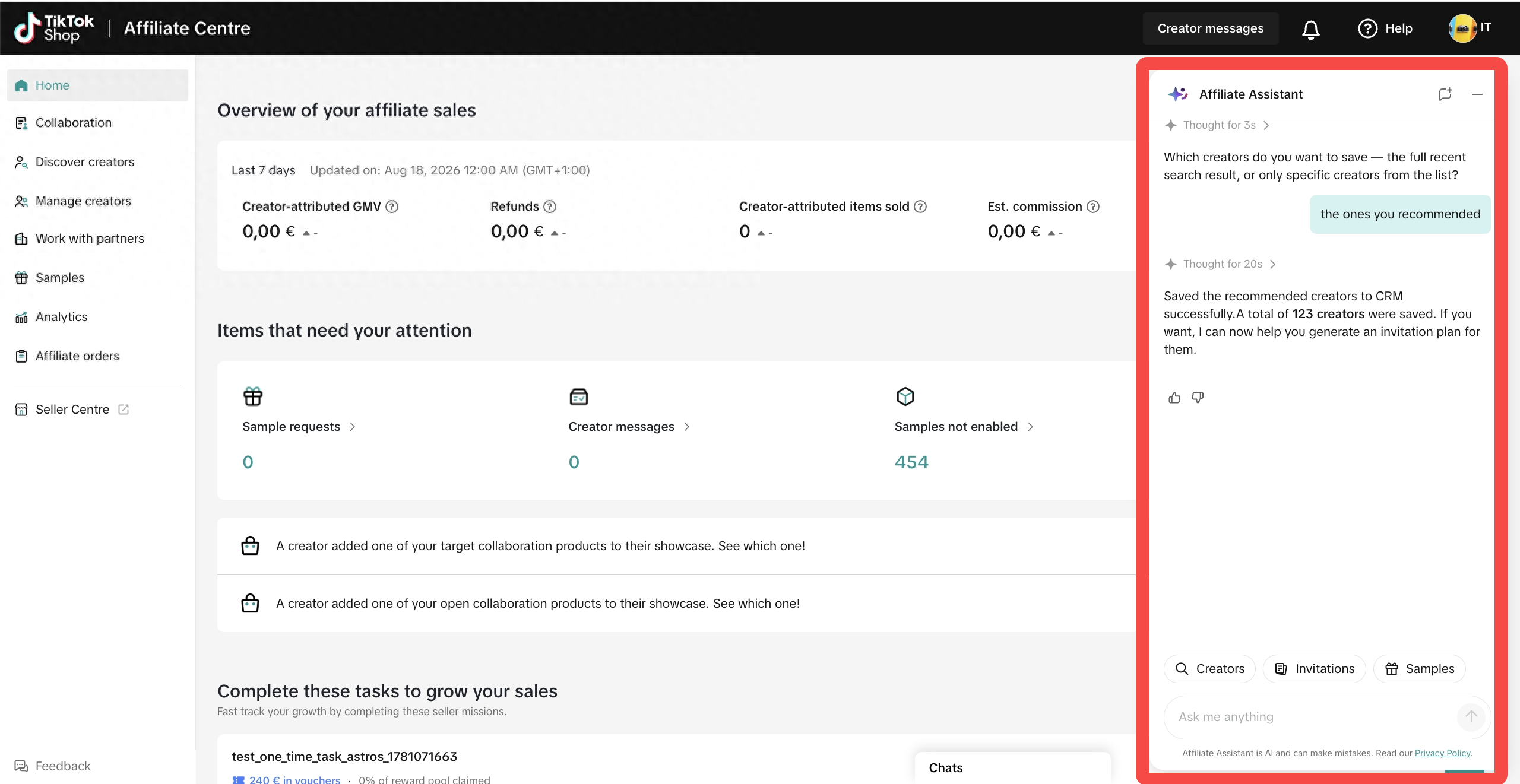
How to communicate with the Agent?
Area | Behaviour | UI |
Input | Text only, with a 500-character input limit. | 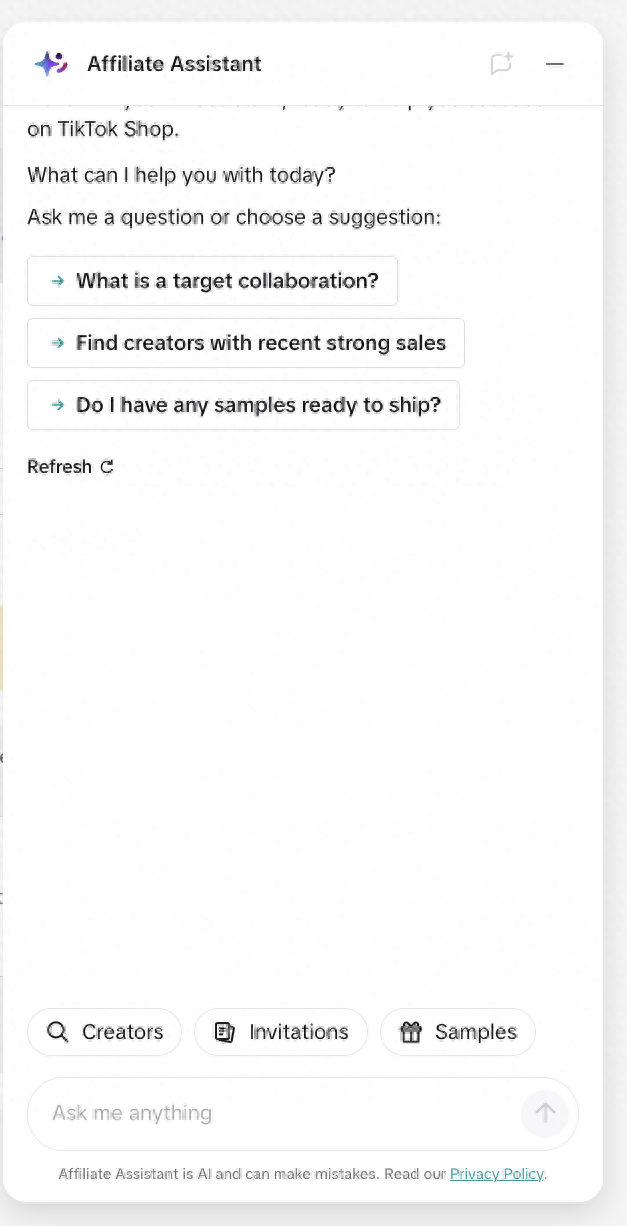 |
Language | Agent responds according to merchant backend language setting. | |
Session context | Same panel keeps context; after closing for more than 2.5 hours, it becomes a new session. | |
Recommended questions | Initial state shows up to 3 recommended questions | |
Task interruption | If a different request is inserted during an active skill, the current task is interrupted. |
End-to-End Flow
The core operating model is intent-driven routing. The agent identifies what the merchant is trying to do, asks for the minimum missing information, executes one matched skill, and returns a result or a blocking reason.
Step | Stage | |
1 | Entry | Merchant: opens the persistent bubble, a page quick entry, a skill tag, or continues from a prior result chip. |
| 2 | Request | Merchant: types in the chat and request specific actions or can use the recommended questions by clicking on the corresponding icons (Creators, Invitations, Samples) |
2 | Intent routing | Agent: matches the request to a skill using tag click, natural language parsing, or context inheritance. Merchant: Provide missing product, creator, preference, or date details. |
3 | Clarification | Agent: asks for one most important missing field when key slots are missing or ambiguous. |
4 | Skill execution | Agent: Matched skill calls product, creator, invitation, sample, or knowledge sources according to its own business logic. |
5 | Review / confirmation | Merchant: For invitation sending and sample approval, merchant reviews generated output before final execution. |
6 | Result / fallback | Agent: returns result cards, text answers, blocking prompts, or failure fallback with Regenerate. |
Skills Logic
This section summarizes the business logic used by the agent for each scenario
Find Creator
Find Creator helps merchants locate suitable creators using product, creator, category, similarity, or supported attribute signals. The output is a recommended creator list with reasons, plus downstream actions such as Add to CRM and Generate invitations.
Supported search mode | Logic | Clarification or fallback |
By product | Use product name, add product from menu dropdown or category to recall creators who sold similar or related products. | Missing product name requires clarification. |
By creator name | Exact or fuzzy creator matching; supports typo handling and batch name query. | If the creator cannot be resolved, ask for a clearer name. |
Similar creators | Use a reference creator to calculate and return similar creators. | Missing reference creator requires clarification. |
By category | Use category name to recall creators in that category. | Ambiguous category requires confirmation. |
By attributes | Filter on GMV, followers, fulfillment rate, language, age, gender, and invitation history where supported. | Unsupported conditions are ignored with disclosure rather than silently applied. |
Fuzzy performance phrases are mapped into default thresholds. For example, “many followers” maps to Followers Top 20%, “high GMV” maps to L30D GMV Top 20%, and “high engagement” maps to L30D Engagement Rate Top 20%. If the first recall returns zero results, the agent should relax one condition and retry once; if the retry still returns zero, it returns an empty state.
Send Invitations
What this version supports: Sending targeted fixed-commission invitations
What this version does not support: Adding creators to an existing invitation, Open plan, Private plan, Task dispatch.Flow stage | Business logic | Blocking rule |
Creator source | Can inherit a creator list from Find Creator, or create a recommended list after product selection. | If no creators are available, terminate with an explicit empty-list prompt. |
Product selection | Supports manual drawer selection and PID input | Removed or zero-inventory products cannot proceed. |
Configuration | Auto-generates invitation name, text, merchant email, commission, content type, sample switch, and manual review switch. | Valid period has no default and must be filled by the merchant. |
Preview editing | Merchant can edit generated preview fields through natural language before final send. | LLM copy timeout should ask merchant to fill manually; it should not block the whole flow. |
Final execution | Merchant confirms; system runs checks and sends async invitation tasks. | No silent skip. All blocking judgments must be shown. |
The invitation quota and limits remain the same: the daily quota is 200 invitations, and each group can contain up to 50 creators. If the creator count is above 50, the system splits into multiple invitation subtasks. If quota is insufficient but greater than zero, the merchant should see a choice to use the remaining quota or terminate.
Default field | Rule | Editable |
Invitation name | Auto-generated as Agent_INV_{MMDDHHMM}_{seq}; length ≤ 20 characters. | Yes |
Invitation text | LLM-generated; limit is 500 characters. | Yes |
Standard commission | Algorithm recommended. If no category or open commission data exists, fallback is 10%. | Yes |
Preferred content type | Default is Shoppable Video. | Yes |
Sample approval review switch | Default on. | Yes |
Sample Approval
The Sample Approval skill outputs a list of sample requests recommended to be approved, but the seller still needs to confirm, complementing existing rule-based auto-approval. It also helps sellers rank sample requests, and explains approval suggestions.
Data sourcesSignal source | Data used | How it is used |
Product basics | Product category, price, sample cost, inventory. | Defines product fit and resource feasibility. |
Seller history | Recent approved/rejected creators, fulfillment outcomes, preferred categories, preferred price bands, short video / livestream preference, fulfillment and sales requirements. | Infers seller approval preference and generates standards. |
Creator data | Creator attributes, follower profiles, e-commerce performance, fulfillment records, risk-control records | Feeds filtering, soft evaluation, and explanation labels. |
Algorithm estimates | Estimated GMV, estimated order volume, estimated ROI. | Ranks surviving candidates by expected business return. |
Resource checks | Product inventory, sample inventory, sample-send quota, duplicate application status. | Prevents approving creators when sample fulfillment is not feasible. |
Trust / risk systems | Sample Score, fulfillment rate, GMV, category tags, Pre-verification. | Identifies strong creators and blocks risky creators. |
- The system generates a quantitative approval standard from seller preference and context. As an example: fulfillment rate >= 80%, 30D GMV > 1000, and category match
- Hard filters: Hard filters are used to remove creators who should not be recommended for approval. As an example: category mismatch, low fulfillment, and blacklist. Later checks also include insufficient inventory, insufficient sample quota, duplicate application, and abnormal risk.
Hard-filter area | What it checks |
Requirement mismatch | Creator does not match the seller’s stated approval intent or generated approval standard. |
Low fulfillment | Creator fulfillment record is below the generated threshold or below the seller’s requirement. |
Blacklist / fraud | Pre-verification flags creator fraud, or blacklist issue. |
Resource infeasibility | Product inventory, sample inventory, or sample-send quota is insufficient. |
Duplicate application | Creator has duplicate sample application status. |
Abnormal risk | Risk-control data indicates unusual or unsafe creator status. |
- Soft evaluation: The agent checks the performance of creators who pass the hard gates. As an example, Sample Score, GMV, order or conversion history, audience profile match, and prior cooperation history
- After screening and soft evaluation, the system pulls estimated GMV, estimated order volume, and estimated ROI to generate a priority ranking
Affiliate FAQ
Affiliate FAQ answers rule, process, concept, and basic operation questions using maintained Affiliate knowledge sources. Its most important rule is strict grounding: answers must be based on the knowledge base and should not use unsupported inference.
FAQ case | Expected behavior |
Knowledge found | Answer concisely, use numbered steps for operations, bold key rule limits, and append source links. |
Ambiguous Affiliate question | Ask a clarifying follow-up, such as which Affiliate topic the merchant wants. |
In scope but not covered | Say no accurate answer was found and guide to Seller Academy or platform support. |
Out of scope | Say the current capability only covers Affiliate rules and operation guides. |
FAQs
Can the agent take final action without merchant approval?
No for the high-impact workflows: Send Invitations requires merchant confirmation before sending, and Sample Approval requires seller confirmation before approval
Does the agent remember past sessions?
Cross-session memory is not supported. Within the same panel, context is preserved; after the panel has been closed for more than 2.5 hours, the next interaction is treated as a new session
What happens if the agent cannot find creators?
For Find Creator, the agent should relax one condition and retry once. If the retry still returns zero results, it returns an empty state. If the query contains unsupported conditions, it should disclose which conditions were not used.
What happens if invitation quota is not enough?
If the daily quota of 200 invitation groups is already used, the flow terminates. If remaining quota is above zero but insufficient for the full list, the merchant should see an explicit choice to use the remaining quota or terminate.
Can FAQ answer from general model knowledge?
No. FAQ answers must be strictly grounded in maintained Affiliate knowledge sources. If no accurate KB answer exists, the agent should say the answer is not covered yet and guide the merchant to Seller Academy or platform support.
How to Use Smart Creator Search (Within Find Creators)
What's New
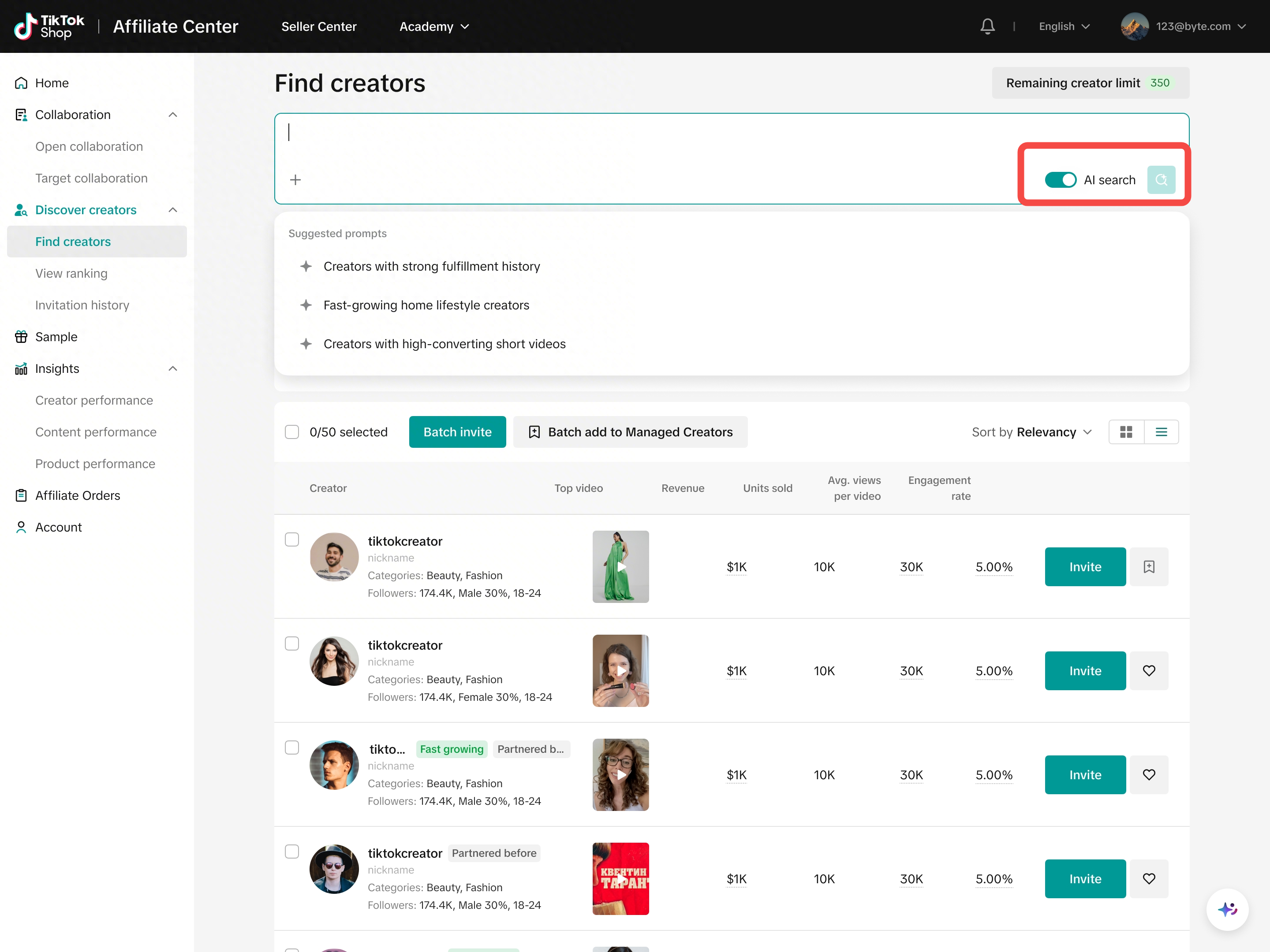
Smart Creator Search is a new way to find creators on the Find Creator page. Instead of relying only on keywords and filter checkboxes, you can describe the creators you want in plain language, and the system understands your request and returns matching creators. It helps you find creators that keyword and filter search can miss, works on top of the search you already use, and lets you turn it on with a toggle so you can still layer filters on the results.
Product Overview
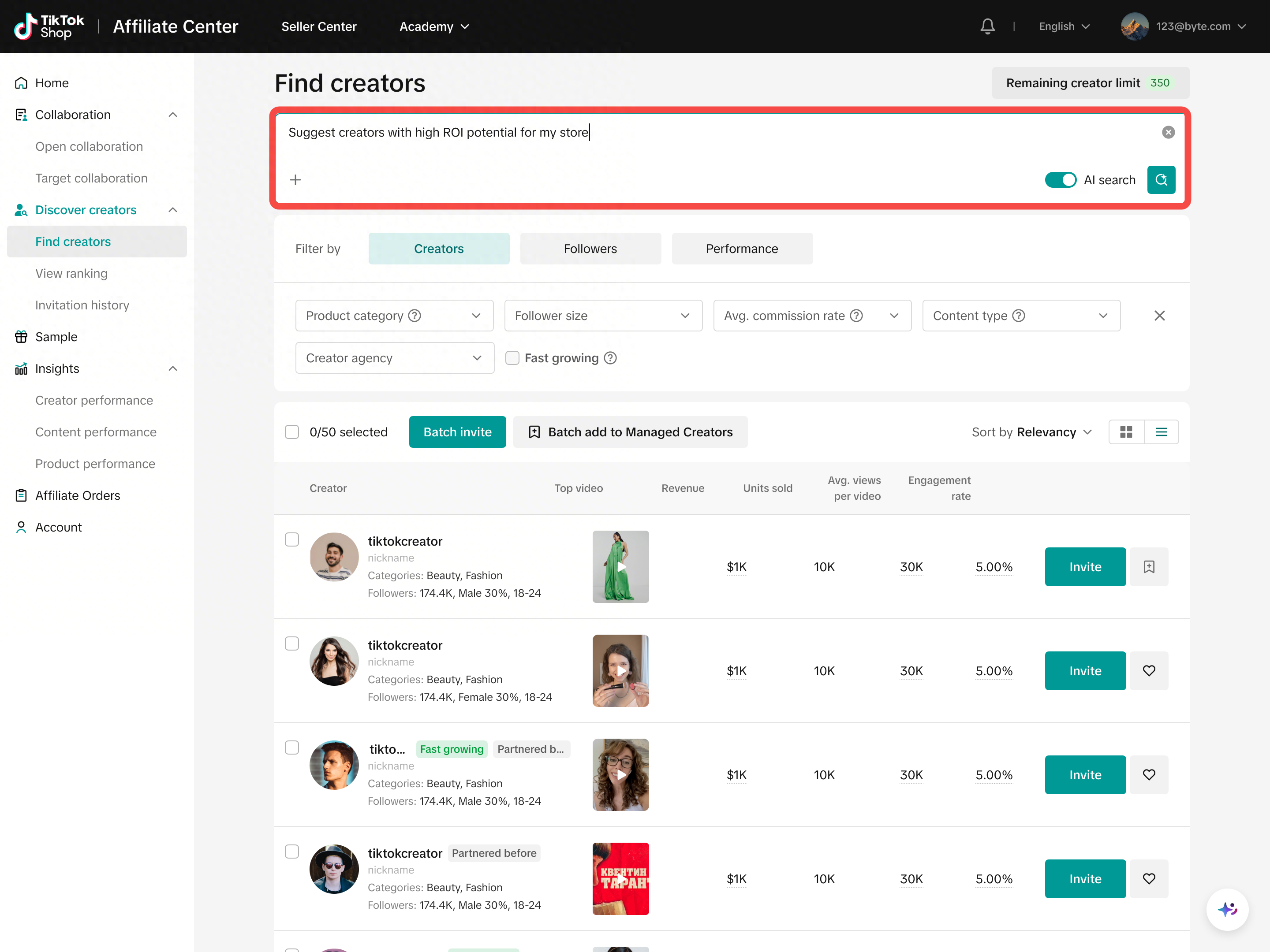
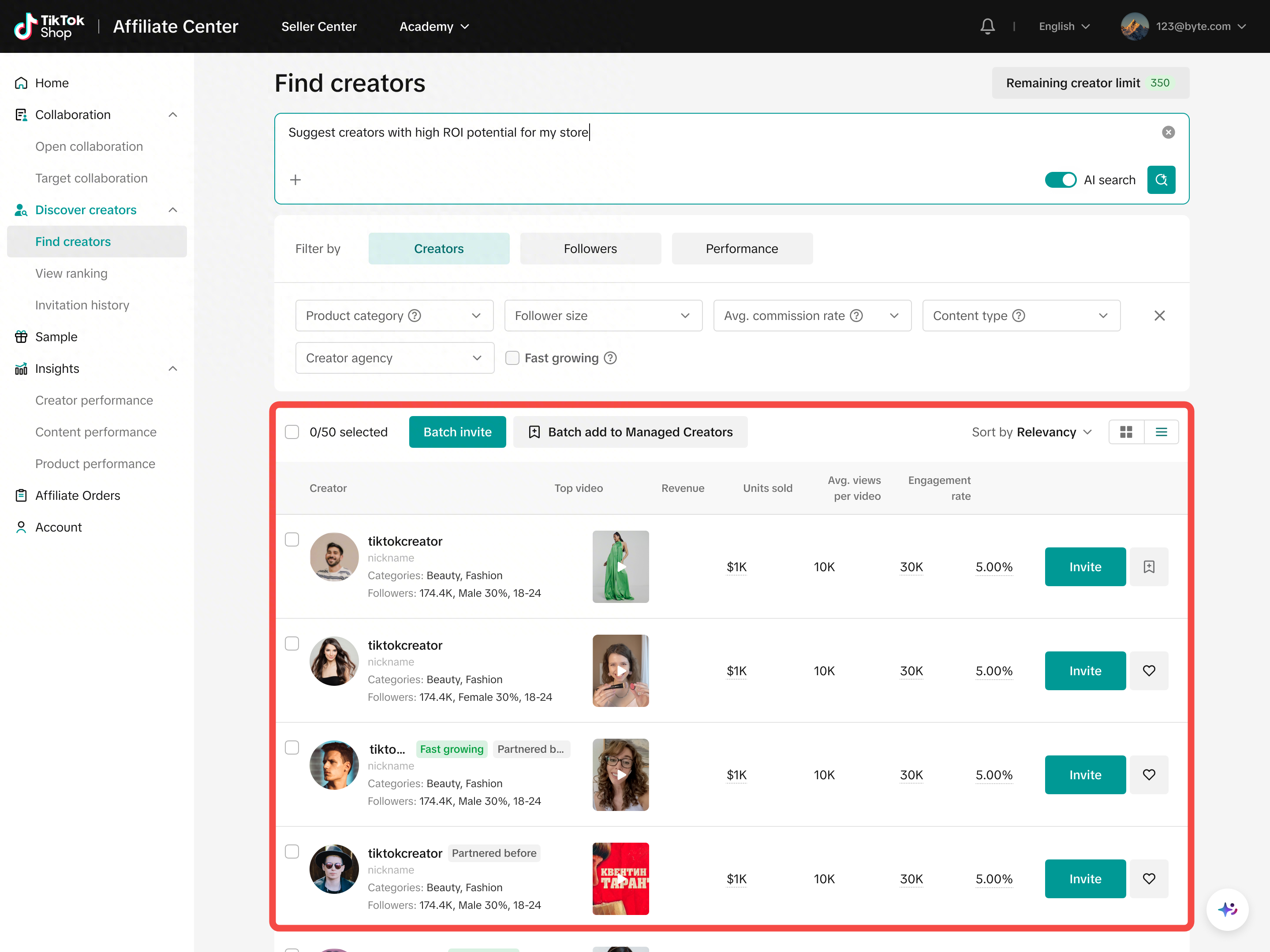
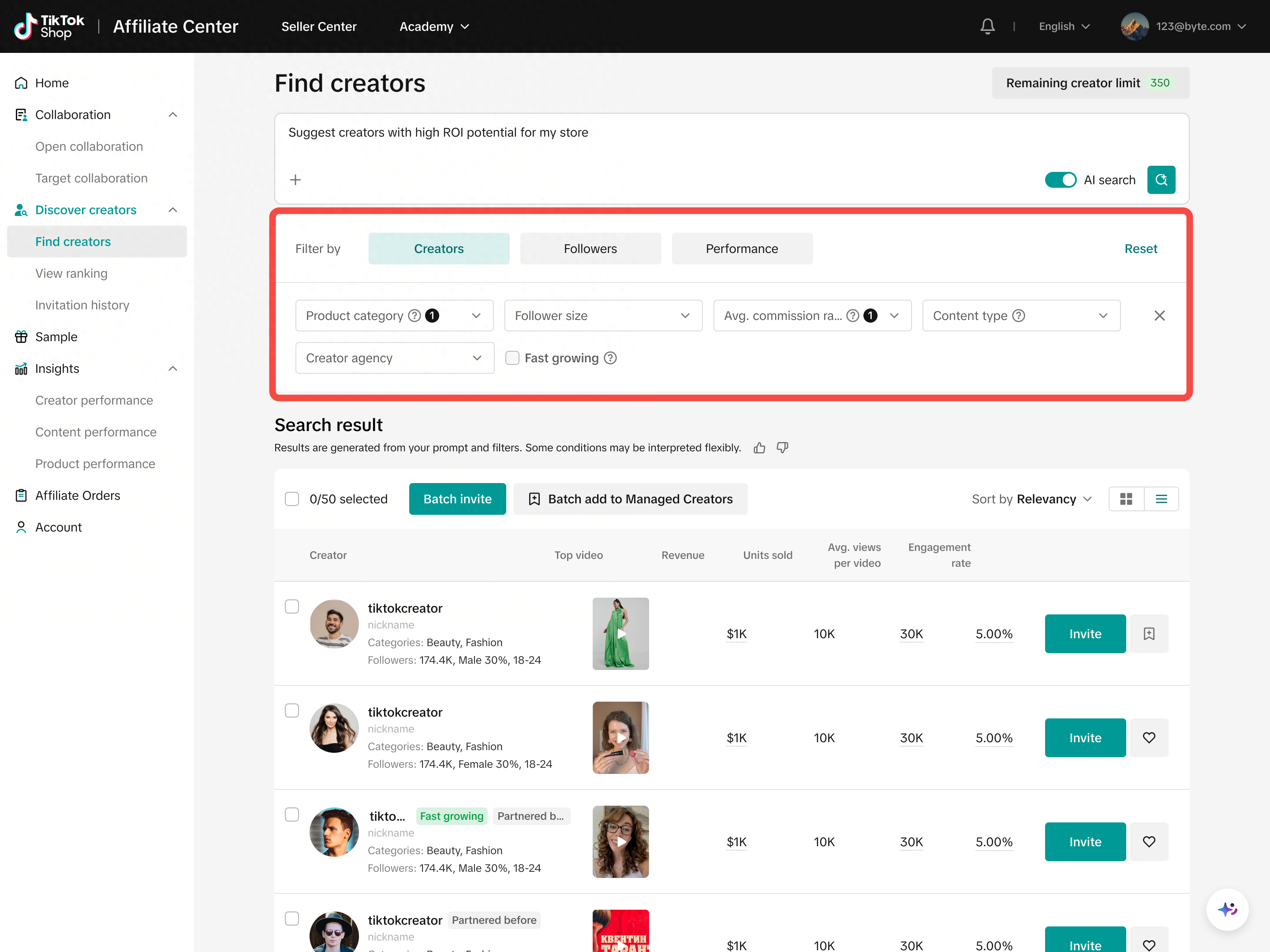
Smart Creator Search is for sellers sourcing creators on TikTok Shop. You type a plain-language description of who you are looking for, and the system interprets the request, finds creators that fit, and orders them by performance. It also shows you what it understood from your description, so you can see how your request was matched. It is a single-turn search, meaning one description at a time with no back-and-forth chat, and it is available to US-based sellers at launch.
[Available now] At launch of this tool, sellers can search creators by:
- A product, meaning creators who have promoted a given product or product type
- A creator name, to look up a specific creator
- Similar creators, by giving one creator to find others like them
- A category, such as beauty creators or digital creators
- Attributes, such as GMV, follower count, fulfillment rate, language, follower age and gender, and whether you have invited them before
- What to exclude, such as "exclude anyone who has sold electronics"
- Content, such as videos with pets, or videos that are about package opening
- Video genre, such as unboxing, vlog, voiceover, or on-camera
- Persona tags, such as lifestyle segments
[Not Supported] The following scenarios are out of scope at launch, so you will get a fallback message rather than a result if you try them:
- Multi-turn conversations or follow-up questions. Each search is one description on its own, with no memory of a previous search
- Comparing creators or making a decision for you, such as asking which of two creators is the better choice
- Taking actions on your behalf, such as sending invites. The search returns a creator list, and you take any next steps yourself
- Requests that are not about sourcing creators, such as general questions unrelated to finding creators
- Sensitive or restricted requests that cannot be supported for compliance reasons. These are filtered, and you will see a fallback message instead of results
How It Works
|  |
|  |
|  |
|  |
|  |
Tips
- Be specific about region, category, and the metric that matters to you, because the more concrete the description, the better the match.
- You can include a timeframe in your search, for example "creators with strong sales in the last 30 days". Vague performance phrases such as "high GMV" or "high conversion" are matched against recent performance, so you do not need to set exact numbers.
- You can also say what to leave out, for example "exclude anyone who has sold electronics", and the system will exclude them.
- Use filters for must-have constraints, since filters always override the text description.
- Keep each search to one description, since this is a single-turn search, not a chat.
FAQs
- Does this replace keyword search? No. It is an added mode you toggle on, and keyword and filter search stay exactly as they are.
- What if I add a filter that contradicts my description? The filter takes priority as a hard constraint.
- What happens if it cannot understand my search? You will see a fallback message and a set of featured creators performing well in your main category, so you are never left with an empty screen.
- Where is this feature available? It is currently only available for sellers in the US market.