

LIVE Billboard
What is Billboard
Billboard is a LIVE tool that can display important selling points directly in the stream to attract users to enter a LIVE room and improve watch duration.We support sellers and creators to use templates to set their own billboards.
The benefit of Billboard templates
Let viewers quickly get LIVE "selling points", such as size charts, hot items, rights, etc., which helps to improve LIVE conversion and Time Stay .Attract more viewers to get into LIVE and increase traffic.
Add templates to billboard effects to reduce host editing costs.
How to set the Billboard
Entry
Before LIVE: Business -> Add products -> Billboard | During LIVE: Shop->Billboard | |||
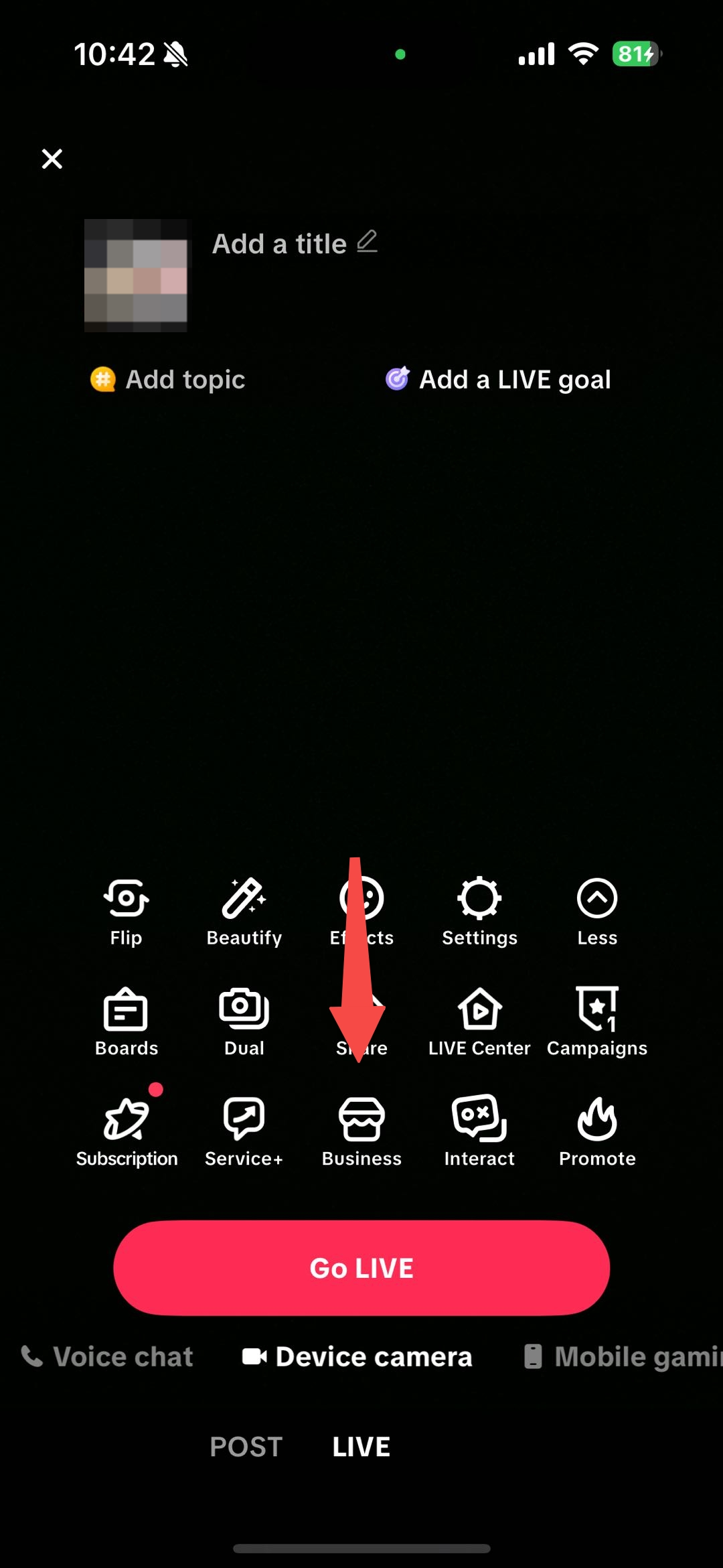 | 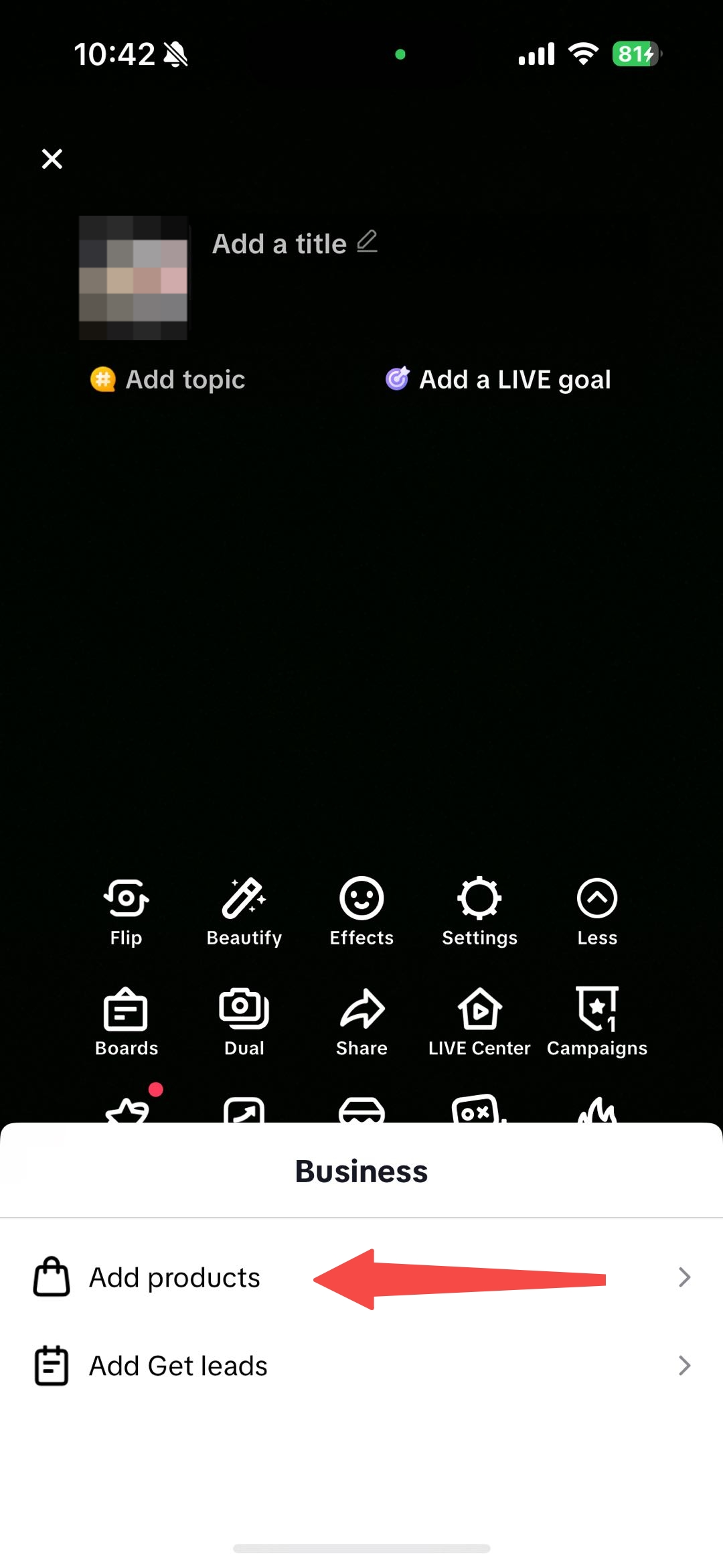 |  | 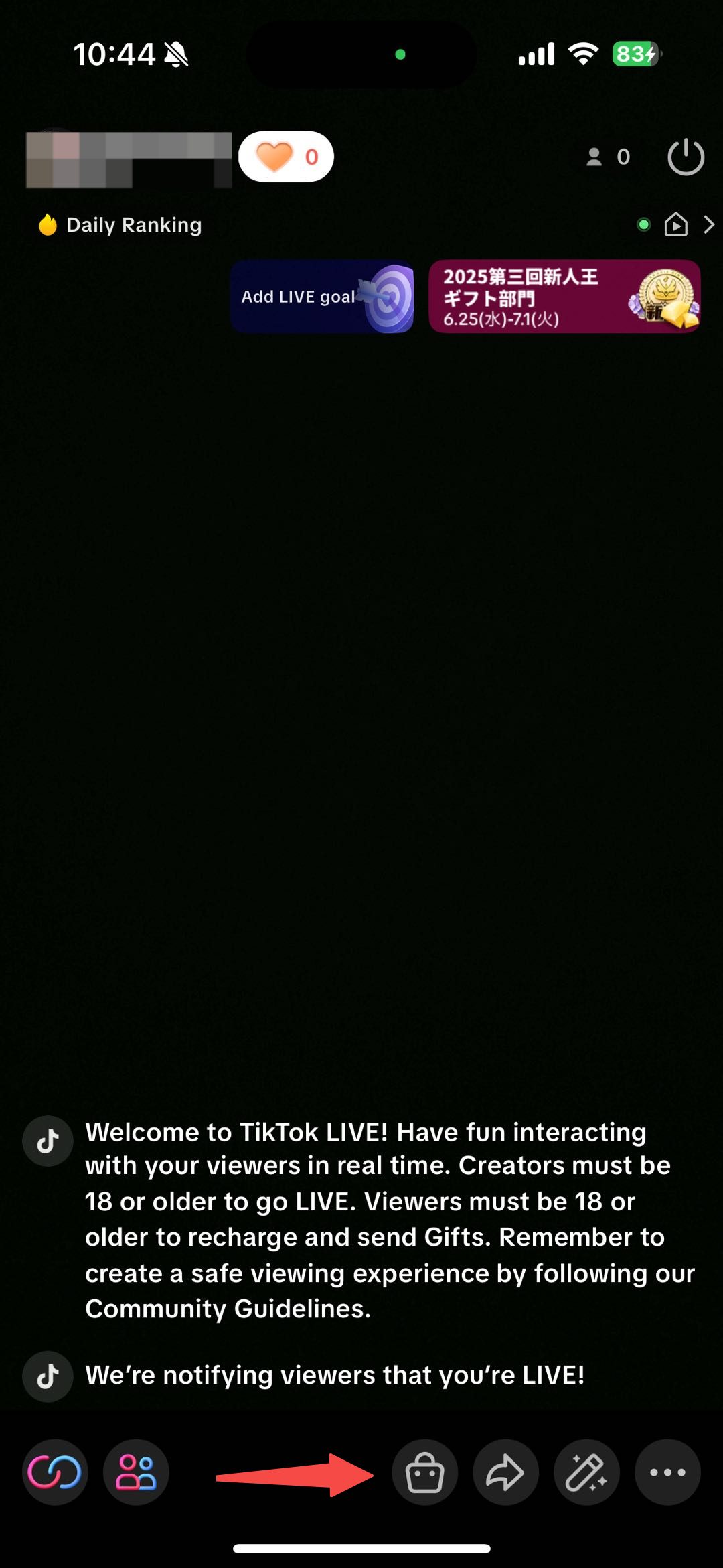 | 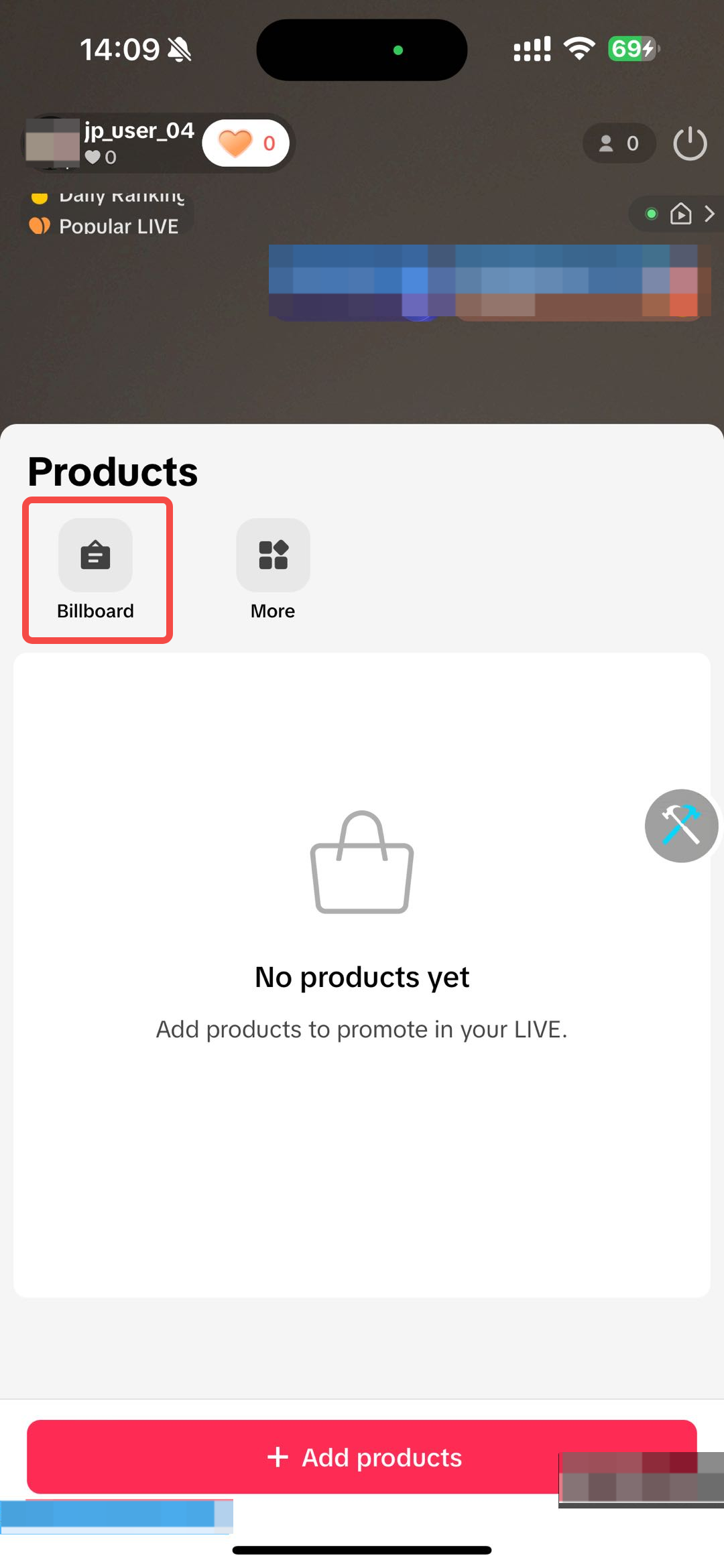 |
Edit template
Two templates | Edit contents | Review and Display |
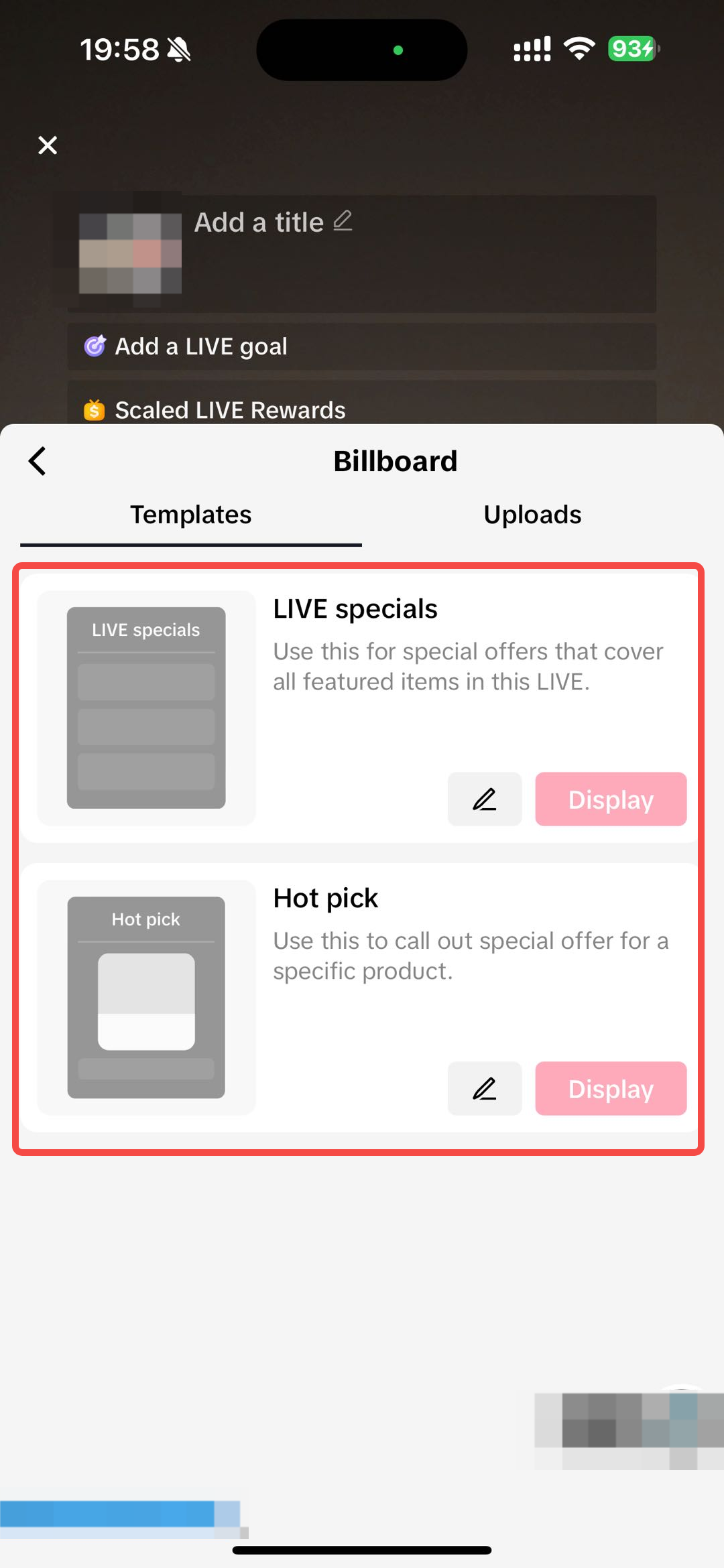 | 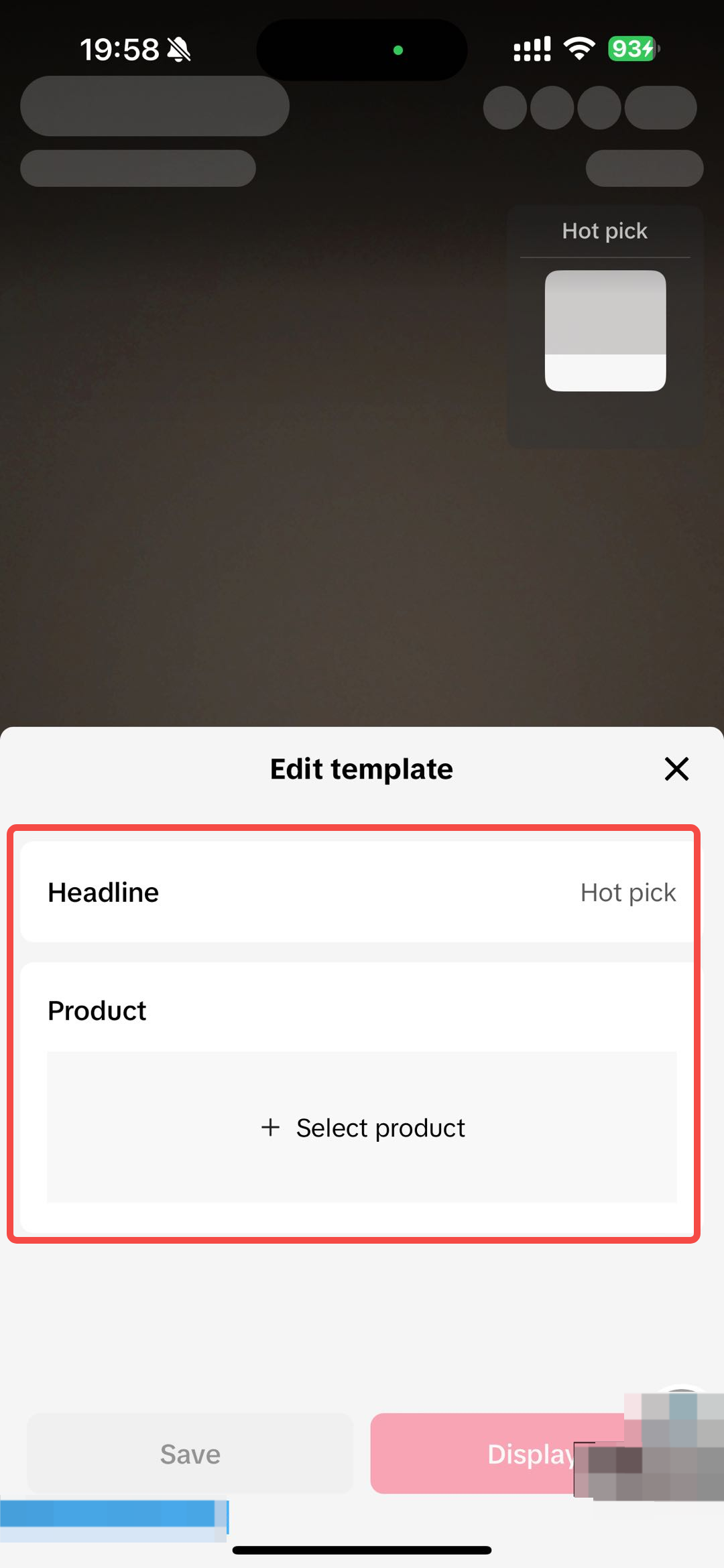 | 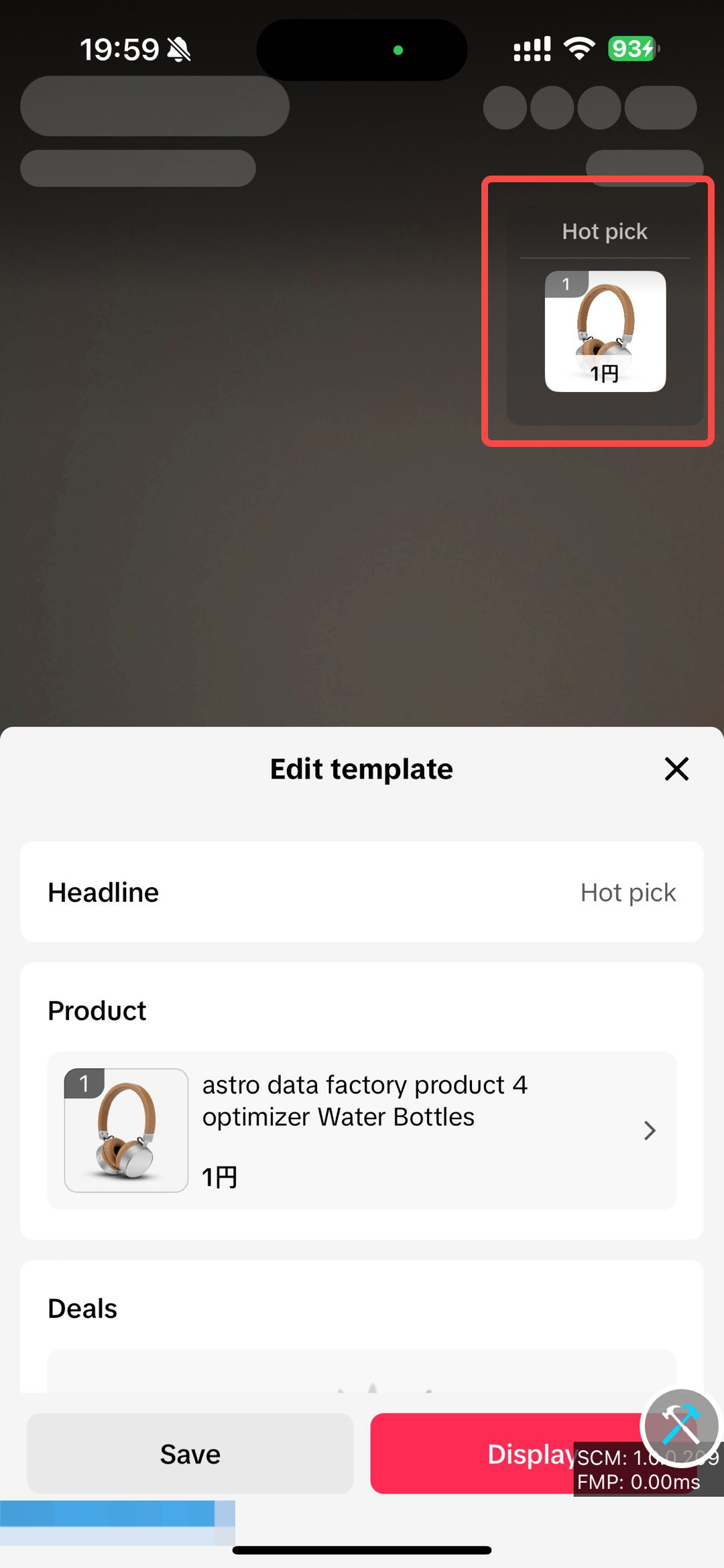 |
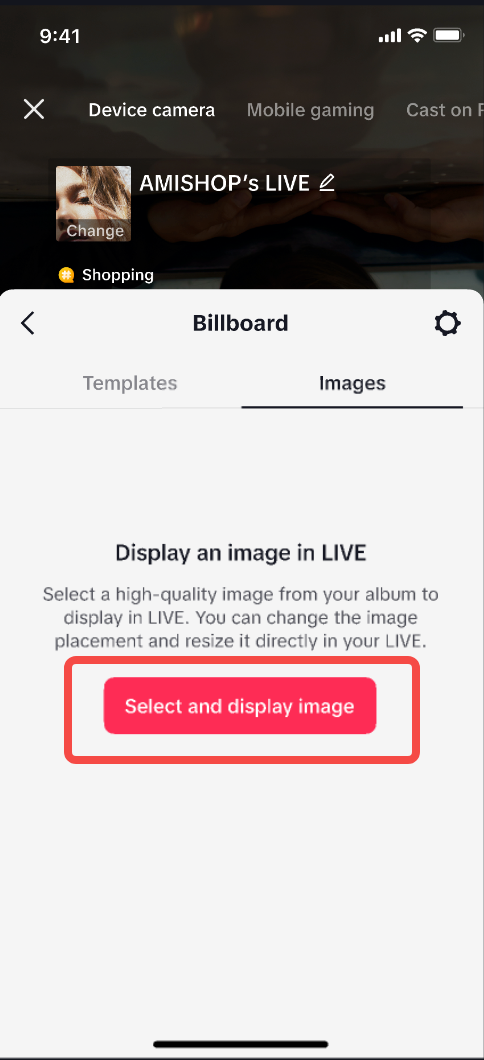
Upload images
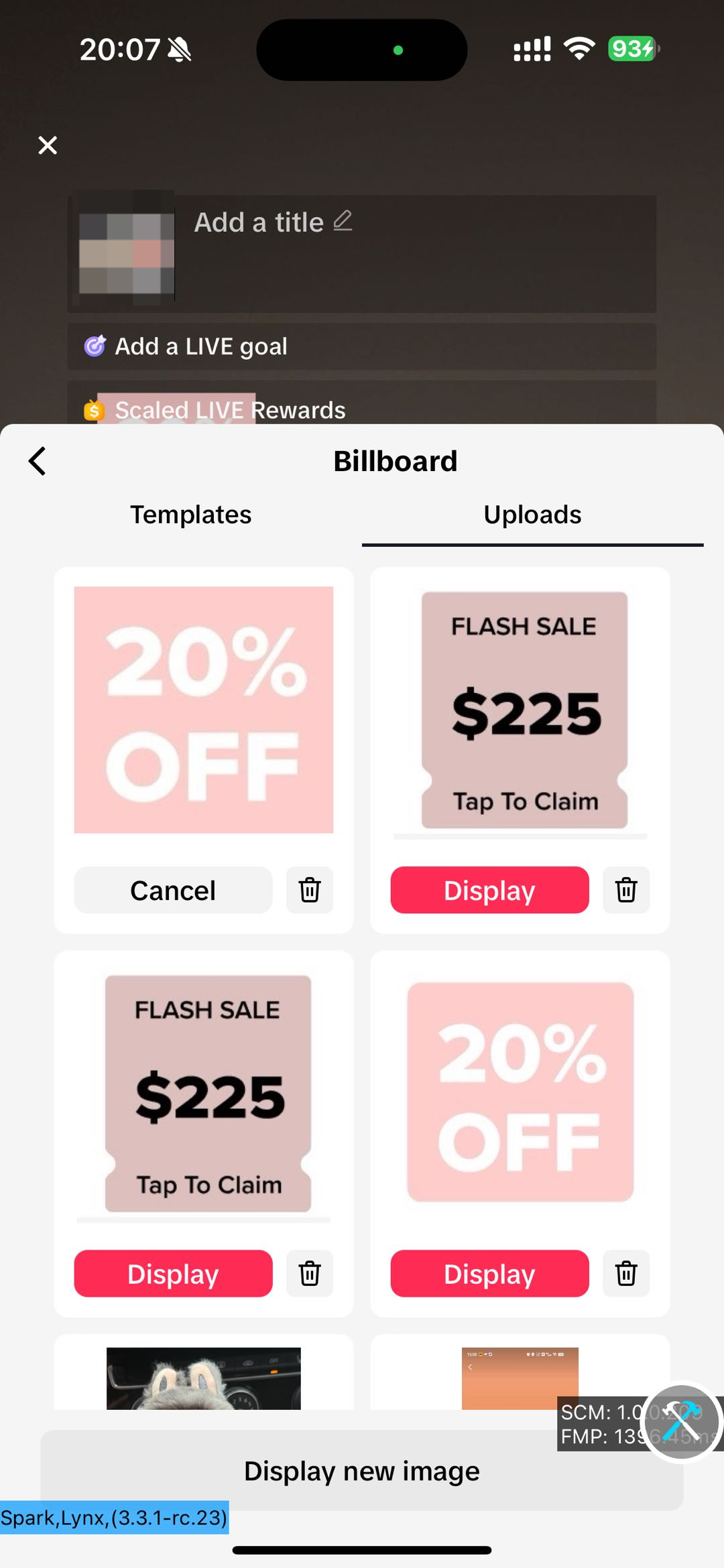
After uploading, there is no need to click "Display", and the billboard will be displayed directlyUpload image from photos (When uploading the pic, it will display on the screen directly, and hosts should not click the "display" button again.)
Select and display image | 100 pictures limit |
 |  |
Display billboard
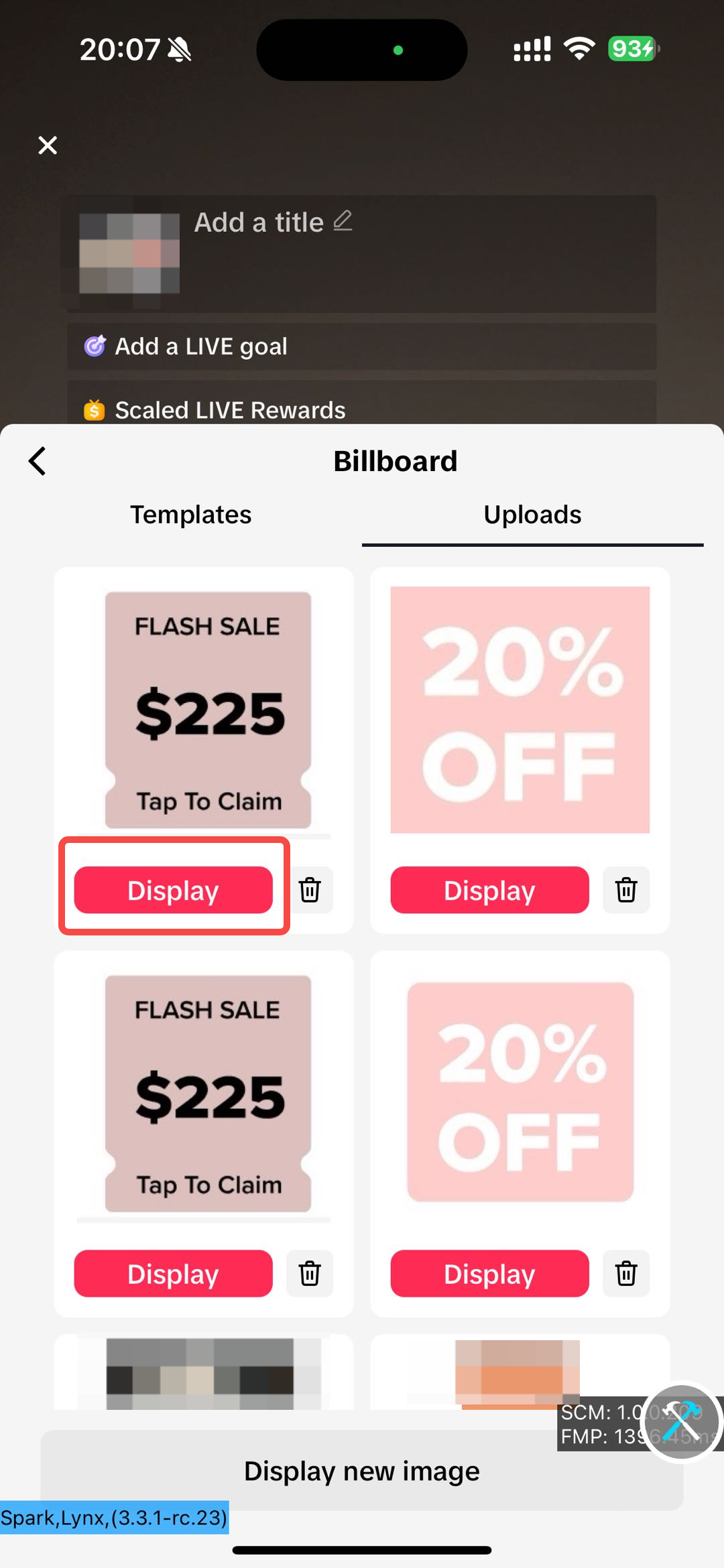
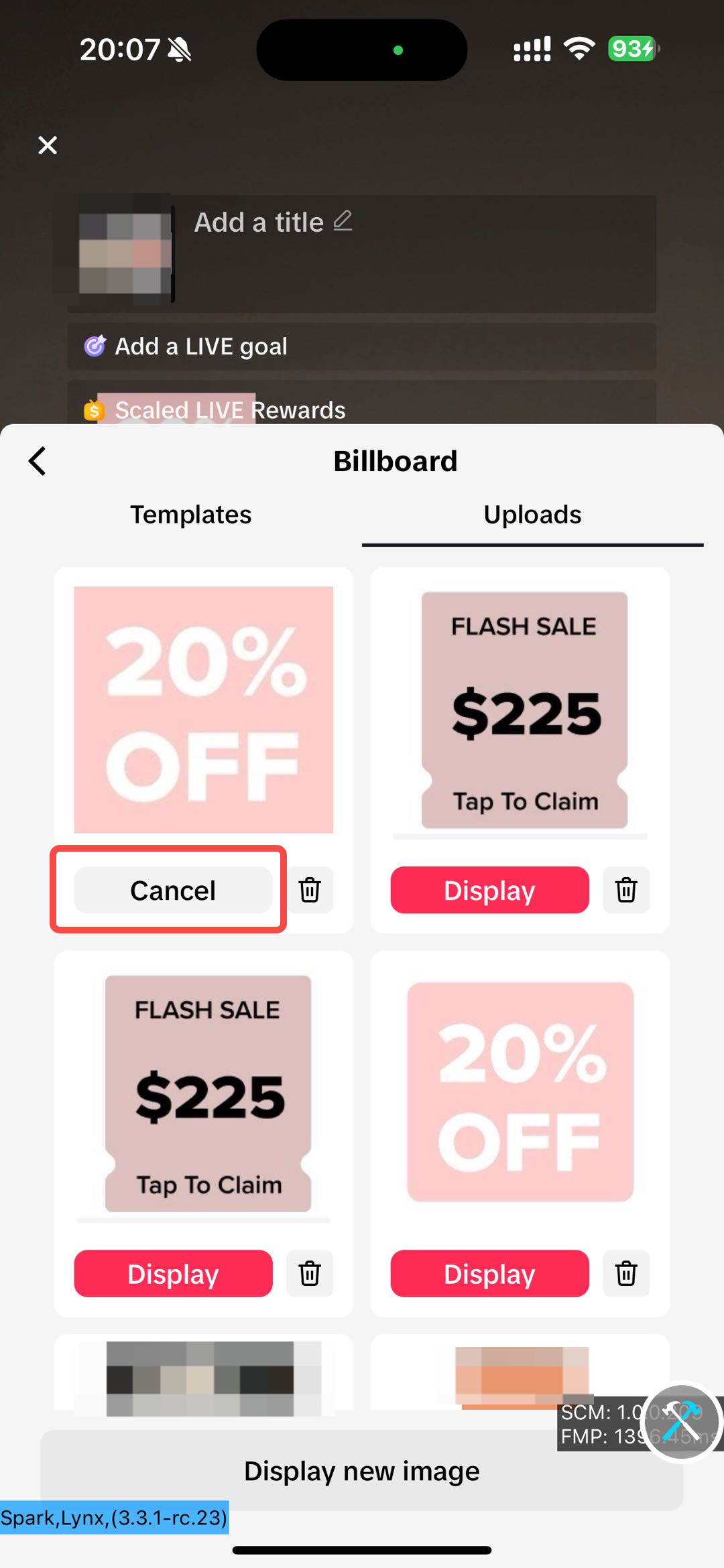
Click at "Display" | Place the billboard (Can zoom in and out, and adjust the position) | Remove display |
 |  |  |
Auto-display in next LIVE
(It makes it convenient for Sellers to automate this with pre-set value props for every LIVE.)FAQ
- How many billboards can be used in one LIVE?
- How long will the auto review be?
- If you adopt templates, it will take a few seconds.
- If you upload pictures, it will take a little bit longer.