Dynamic Settlement and Reserve Policy
Key Points
- Seller payouts are determined by monthly performance reviews, which set both your payout timing (Settlement Tier) and the portion of funds held in reserve.
- Reserve funds are held for 30 days to cover potential returns or refunds, and any unused reserves are released to you after this period.
- TikTok Shop may adjust your payout schedule or reserve level at any time based on account status or security checks.
Purpose and Scope
The Dynamic Settlement And Reserve Policy is here to help you get paid quickly and reliably, while making sure everything follows platform guidelines. This policy applies to all sellers. It has two main parts:
- Settlement Tiers: This determines when your earnings (minus any reserves) are paid out, based on successful order delivery and your performance as a seller.
- Reserve Levels: A portion of your funds is held temporarily to cover possible returns or refunds. If these reserve funds aren’t needed, they’ll be released and made available to you after 30 days.
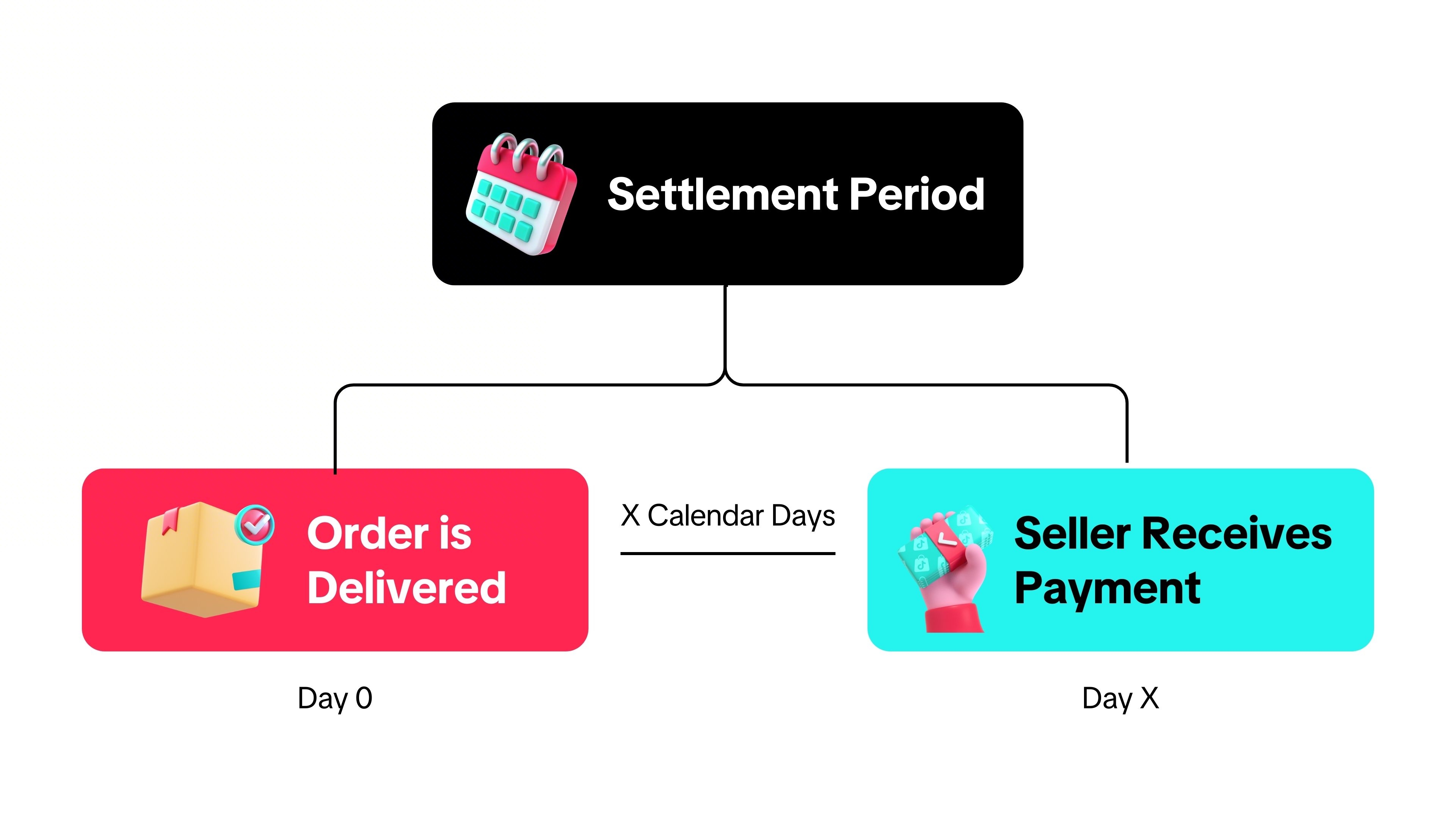
What are the different payment settlement tiers, settlement period and when do they apply?
There are 5 tiers of settlement periods that can be applied to your shopSettlement Tier | Estimated Payout Period | Settlement Criteria |
| Introductory Settlement | 31 days from the delivery date | Sellers in start-up period. |
| Standard Settlement | 8 days from the delivery date | Sellers who have completed the start-up period and do not qualify for Express or Accelerated Settlement. |
| Accelerated Settlement | 5 days from the delivery date | Sellers who meet all of the following conditions during the evaluation period:
|
| Express Settlement | 1 day from the delivery date | Sellers who meet all of the following conditions during the evaluation period:
|
| Deferred Settlement | 31 days from the delivery date | TikTok Shop may impose an extended settlement period of 31 calendar days for sellers suspected of fraudulent activity or risky selling behavior. |
Where can I check my shop's Settlement Period?
There are two ways you can check which Settlement Period applies to your shop:- Seller Center > Account Health > Shop Health
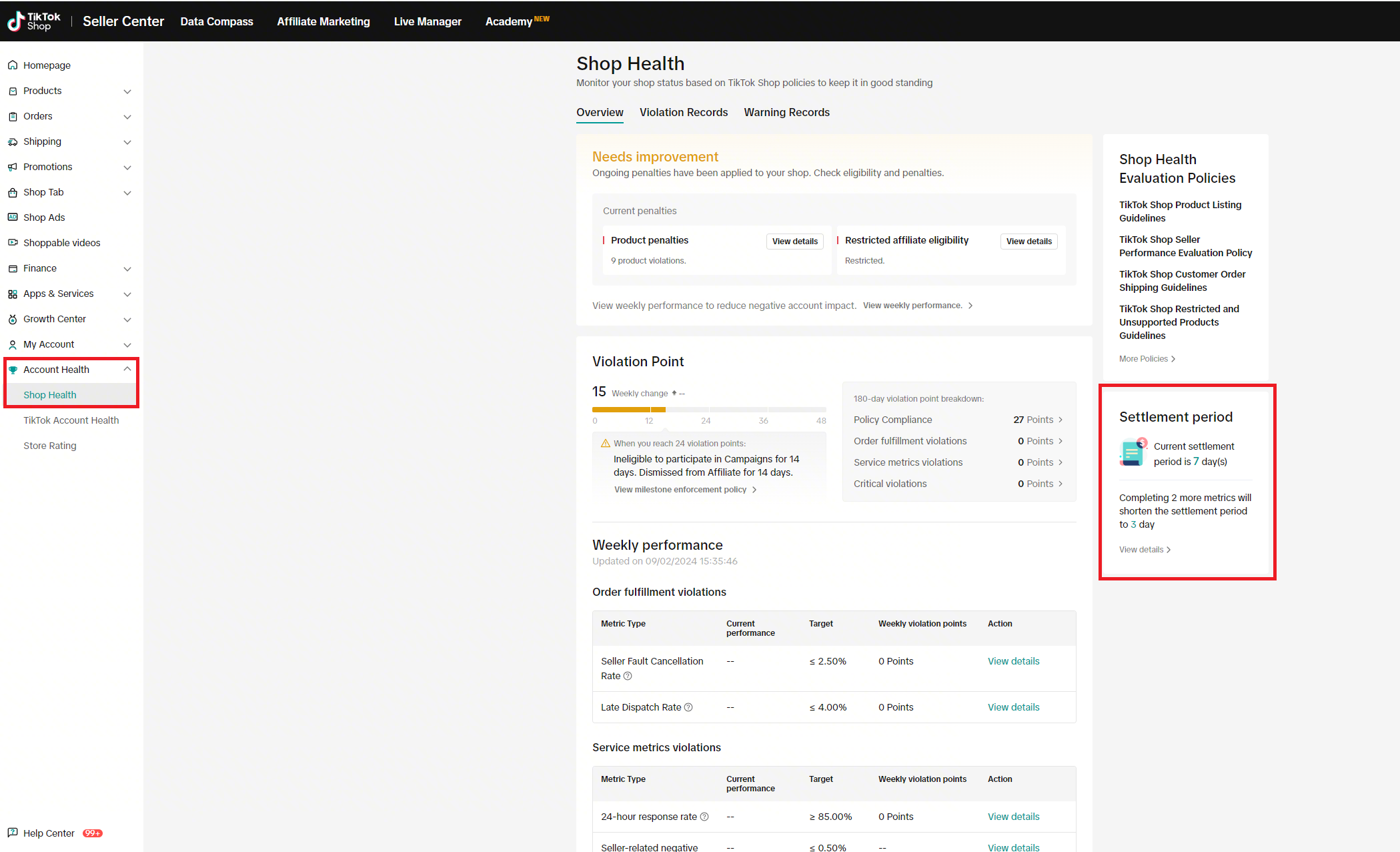
- Seller Center > Finance > Transactions > To Settle

How will Creator Commissions be affected?
In accordance with the Creator Terms of Use, a creator can only receive their commission after the seller's orders are settled. As such, the payout of creator's commissions will depend on the settlement period type of the seller.How are platform-funded shipping subsidies and compensations settled?
In order to better protect the platform from fraud, settlement periods for platform-funded shipping subsidies or compensation for non-seller-fault reasons may only occur around 3 calendar days after order completion.Actual settlement timing may vary in circumstances where further investigations are necessary and is subject to TikTok Shop's discretion (acting reasonably). All other settlement periods remain unchanged and are determined in accordance with this policy.What is Reserve?
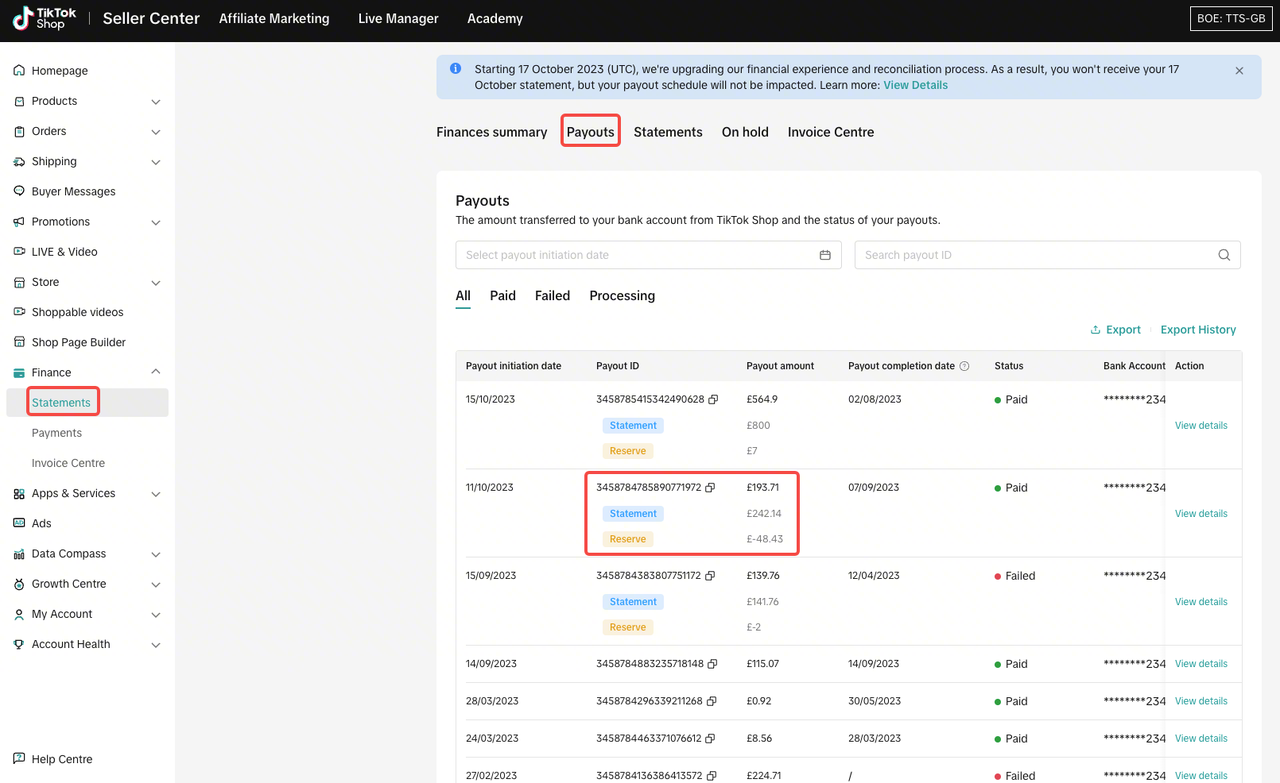
Reserve is the amount of a seller’s order settlement funds that is withheld by a third party payment service provider, at the instruction of TikTok Shop, for 30 calendar days after the delivery date of said order, to mitigate any risks associated with refunds, disputes, damages, and shipping fees that the seller may owe.
If unused, Reserve funds will be made eligible to be disbursed back to the sellers at the end of the 30 day Reserve period.
Note: screenshots are only for reference. Actual interface display, amount and rates might be different.Reserve Level?
TikTok Shop operates using 3 Reserve levels: Level 1, Level 2, and Level 3.
Tier | Reserve Percentage | JP |
Level 1 | 10% | Any of the following condition met: |
| Seller in Start-up period (AM managed) | ||
| SPS < 2.5 | ||
Level 2 | 5% | All of the following condition met: |
| Start-up period completed | ||
| 2.5 <= SPS < 3.5 | ||
Level 3 | 0% | All of the following condition met: |
| Start-up period completed | ||
| SPS >= 3.5 |
How to check the reserve amount within a certain time period
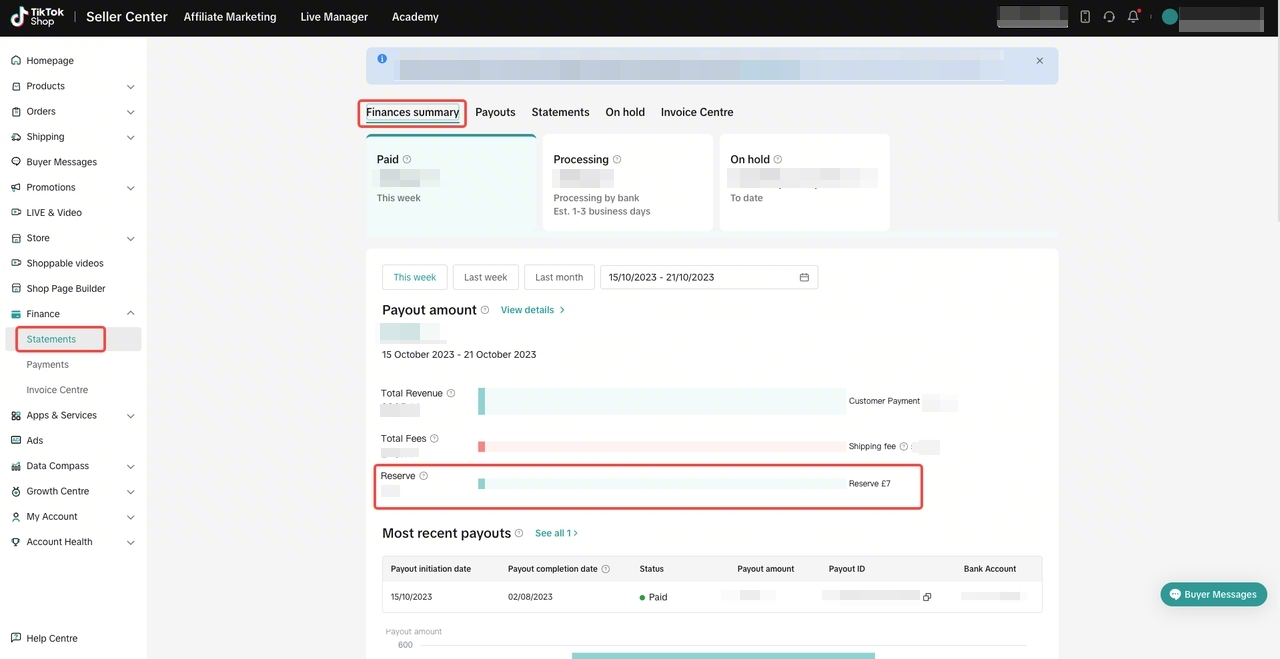
Finance->Statements->Finances summary->Paid- Sellers can select a time range and check the reserve amount in the Sankey chart.
- Green indicates a positive amount, which means the reserve amount released in this cycle is greater than the frozen reserved amount.
- Red indicates a negative amount, which means the reserve amount released in this cycle is less than the frozen reserved amount.
How to check the current total reserve amount
Finance->Statements->Finances summary->On holdIn the On hold module, Sellers can check the total amount currently reserved. When the release conditions are met, TikTok Shop will automatically pay the money to the Seller's bank account.
How to check reserve changes on a daily basis
- Sellers can also view the daily changes in reserves in the On hold module. Click See all for all historical records.
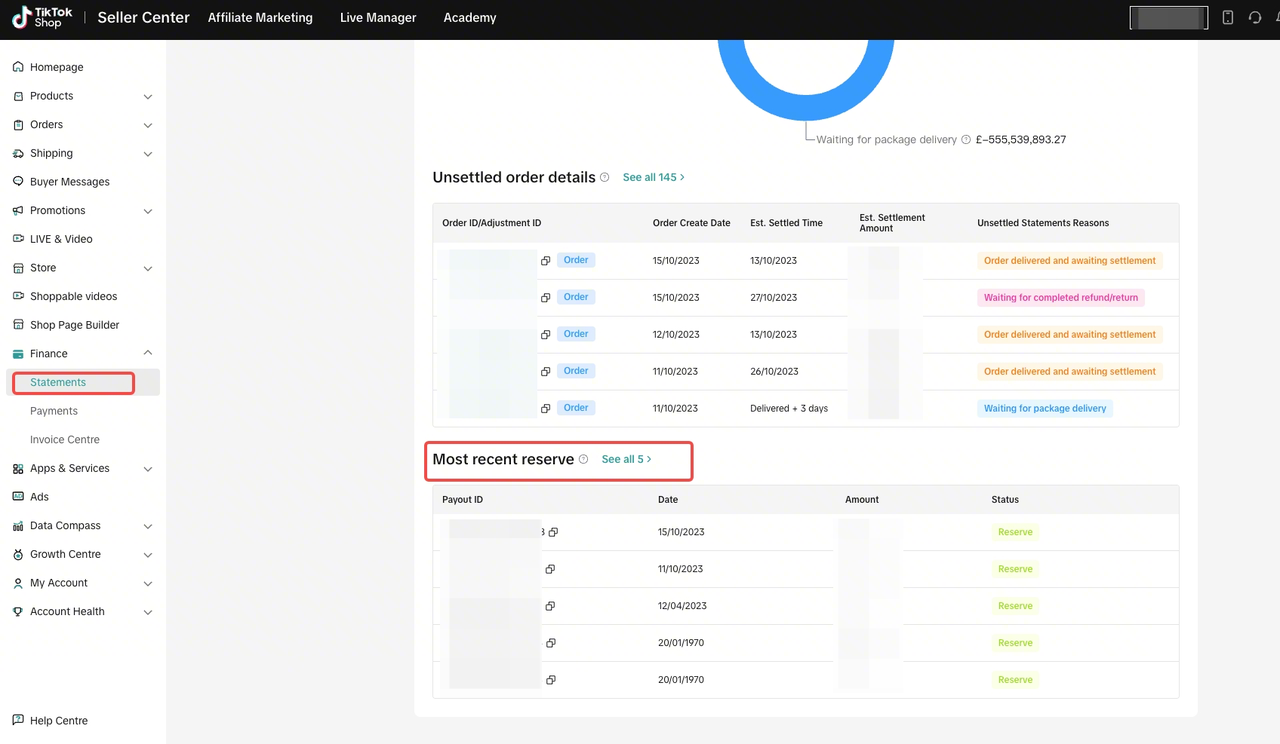
- You can also view the same report by going to Finance->Statements->On hold->Reserve

- Go to Finance->Statements->Payouts